Work Planners for Daily Tasks, Projects, Meetings, and Focus
A work planner is a PDF planner template for organizing work tasks, priorities, meetings, projects, focus blocks, and follow-up routines. Daily Digital Planner creates downloadable digital planner PDF templates for people who want practical planner files they can print, type into when supported, save, and reuse.
This page helps you choose a work planner by the job it needs to do. Start with the planning problem first: daily tasks, meeting notes, project tracking, client work, focus sessions, or a larger work and productivity system. Then check the product page for file type, screenshots, included templates, page size, printable support, fillable support, price, and download access.
Work planners on Daily Digital Planner are digital downloads, not shipped notebooks. Some work planner PDFs are best for printing and handwriting. Some are fillable PDF planners you can type into when the file includes supported fields. Some users need one focused planner, while others need a work planner bundle with several related templates.
Primary CTA: Browse work planner templates below.
Secondary CTA: Compare single work planners with work and productivity planner bundles.
Work Planners: Quick Answer
A work planner helps organize work tasks, priorities, meetings, projects, and focus blocks in one repeatable planning structure. Use a work planner when your workday needs a visible place for tasks, deadlines, notes, follow-ups, and the next action.
The best work planner is not always the biggest planner. A simple daily work planner can be enough when you only need a task list, priorities, and notes. A project planner or client workflow planner is better when your work depends on deadlines, deliverables, status updates, and follow-up actions. A work planner bundle is better when several work pages need to work together.
For most buyers, the first choice is format:
- Choose a printable work planner if you want to print the page and write by hand.
- Choose a fillable work planner PDF if you want to type into supported fields and save a copy.
- Choose a work planner bundle if daily tasks, projects, meetings, focus, and reviews need coordinated templates.
Work Planner Templates
Browse Work Planner Templates
Browse work planner templates when you want to compare current product cards before choosing a PDF planner. Product cards should show the live title, image, price, and availability from WooCommerce, while the page copy explains how to choose the right planner type.
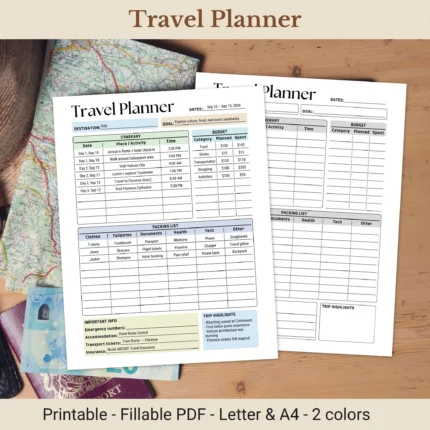
A good product page should help you verify the planning format before buying. Open each product page and check whether the planner is printable, fillable, or both. Also check whether the product screenshots show enough space for tasks, priorities, schedule notes, meetings, projects, and follow-ups.
Work planner templates can fit different professional routines:
- Daily work planner templates support one workday of tasks, priorities, schedule blocks, and notes.
- Productivity planner templates support focus, priority sorting, time blocks, and work output.
- Business planner templates support client work, campaigns, project notes, and business workflow organization.
- Meeting planner templates support agendas, notes, decisions, and follow-up actions.
- Project planner PDFs support milestones, tasks, deadlines, status tracking, and deliverables.
- Work planner bundles support users who need several related templates instead of one repeated page.
Daily Digital Planner focuses on ready-made PDF planner files. This page is not an Excel schedule template library, a Notion workspace directory, or an app ranking page. If you need paper-first planning, compare printable planner PDFs. If you need typed fields inside a PDF, compare fillable PDF planners.
What Is a Work Planner?
A work planner is a planner template for organizing professional tasks, priorities, meetings, projects, and follow-up actions. In the Daily Digital Planner context, a work planner is usually a downloadable PDF planner file that you can print, save, or type into when the product includes fillable fields.
The page entity is work planner, not general productivity advice. A work planner gives work information a structure: what needs to be done, what matters first, what belongs to a project, what needs a meeting note, and what should be reviewed later.
Work planner pages can include:
- task lists;
- priority sections;
- schedule blocks;
- meeting notes;
- project trackers;
- client workflow notes;
- focus session logs;
- brain dump areas;
- review prompts;
- follow-up actions.
A work planner is also not automatically a physical notebook. Daily Digital Planner sells digital downloads, so review the PDF planner guide if you want the broader file-format explanation before choosing a product.
Work Planner PDFs
A work planner PDF is a downloadable planner file designed to preserve a work planning layout for printing, saving, or typing when fillable fields are included. PDF format helps keep checklists, task boxes, project sections, schedule blocks, and notes areas stable across common PDF readers and printers.
The PDF file is the container. The planner layout is the work system. The product details tell you whether the file is printable, fillable, sized for US Letter or A4, portrait or landscape, or designed for a specific planning job.
Use the product page as the rule. A title may mention printable, fillable, productivity, business, or daily work, but the product screenshots and details should confirm the actual file behavior before you buy.
Printable and Fillable Work Planners
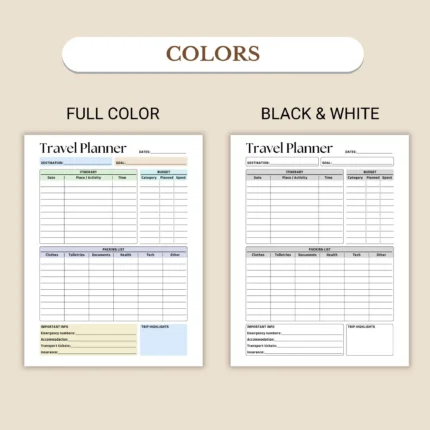
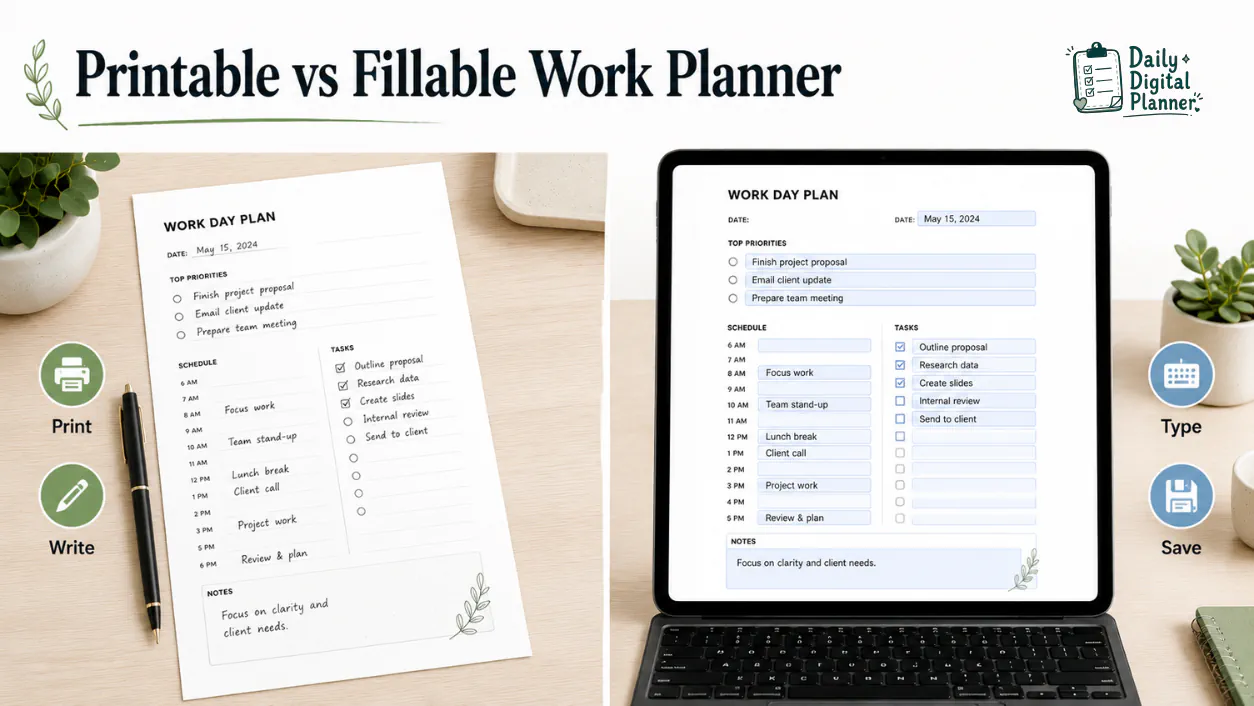
Printable work planners are for handwriting on paper, while fillable work planners are for typing into supported PDF fields before saving or printing. The deciding attribute is input method: pen, keyboard, or both.
| Work Planner Format | Best Use | Input Method | What to Verify |
|---|---|---|---|
| Printable work planner | Desk planning, paper routines, binder pages, visible task sheets | Print and write by hand | PDF file, page size, orientation, print support, screenshots |
| Fillable work planner PDF | Typed task lists, clean meeting notes, reusable digital copies | Type into supported fields, save, and print when supported | Fillable fields, compatible PDF reader, save behavior, print support |
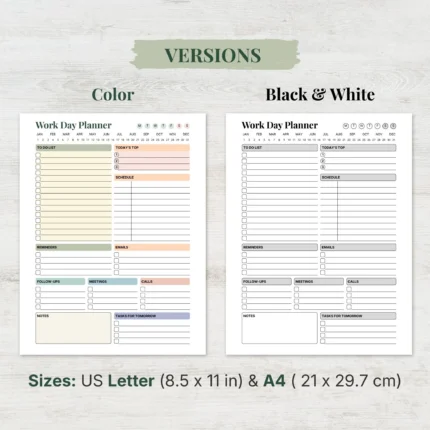
| Printable and fillable work planner | Hybrid workday planning | Type, save, print, or handwrite depending on the file | Product details, included versions, page size, instructions |
Printable and fillable formats can overlap, but they are not the same claim. A work planner is only fillable when the product file includes supported fillable fields.
Choose a Work Planner by Planning Job
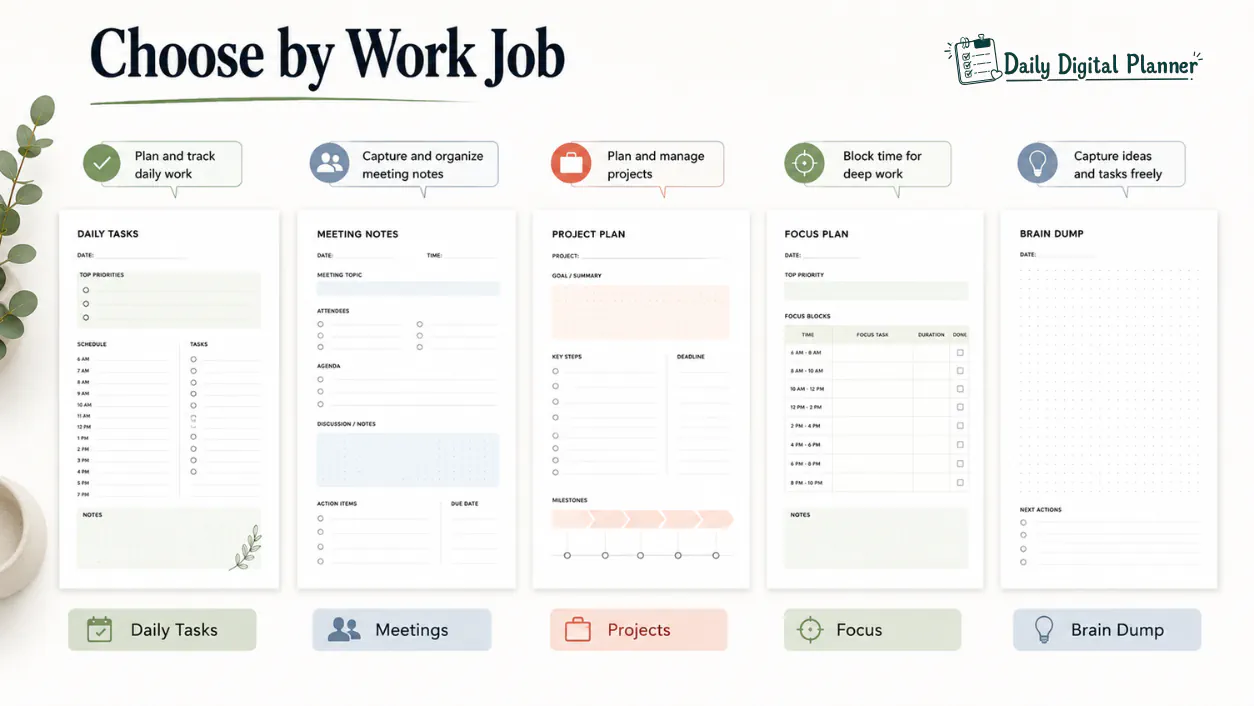
Choose the planner by the work job first: daily tasks, meetings, projects, priorities, focus, client tracking, or task capture. Design style matters, but the planning job decides whether one page will actually fit your workday.
| Planning Job | Best Work Planner Type | Useful Sections to Look For | Good Fit When |
|---|---|---|---|
| Daily tasks and priorities | Daily work planner, work day planner, priority planner | task list, top priorities, schedule, notes, review | your work changes every day |
| Meetings and follow-ups | meeting planner, meeting notes, agenda template | agenda, notes, decisions, action items, follow-ups | meetings create work that must be tracked |
| Projects and clients | project planner, client workflow planner, business planner | deadlines, deliverables, status, client notes, next steps | your work has moving parts over several days |
| Focus blocks | Pomodoro planner, deep work planner, time-block planner | session goal, time block, break, distraction note, review | your biggest problem is protected focus time |
| Brain dump and low-friction planning | brain dump planner, simple task capture page | capture area, sorting area, next actions | your tasks feel scattered before they become a plan |
| Bundled work systems | work planner bundle, productivity planner bundle | several related templates | one page is not enough for the whole workflow |
The matrix is a starting point. Product screenshots should confirm whether the page gives enough room for your actual work details.
Daily Tasks and Priorities
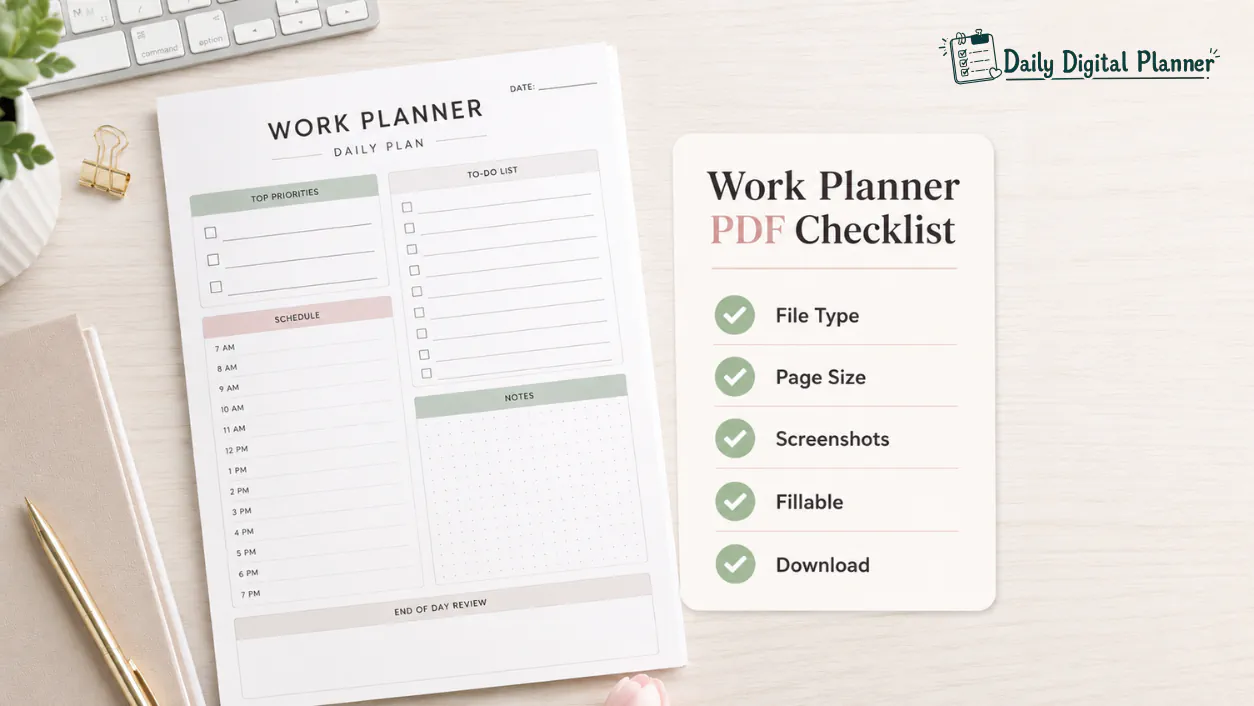
A daily work planner is best for one workday of tasks, priorities, schedule blocks, and notes. Use this format when your main question is, "What needs to happen today, and what matters first?"
Daily work planner pages are usually easiest to use when they separate task capture from priority selection. A long to-do list alone can become noisy. A planner page with top priorities, schedule space, notes, and follow-ups can turn that list into a clearer workday.
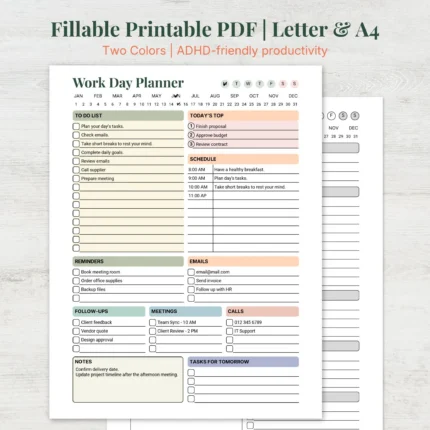
Daily work planner products from the catalog include work day planner and work day organizer formats. Product screenshots should show whether the page gives enough room for long tasks, short reminders, meeting notes, or end-of-day review.
Meetings, Notes, and Follow-Ups
Meeting planner pages help prepare agendas, record notes, and turn decisions into follow-up tasks. Use this format when meetings create actions that are easy to forget after the call ends.
A useful meeting planner should leave room for the meeting topic, date, attendees if needed, agenda points, notes, decisions, and next actions. The follow-up section matters because meeting notes only become useful when they connect to tasks.
Daily Digital Planner has work and business products that can support meeting-heavy workflows. For deeper meeting-specific content, a dedicated meeting planner guide can be added later without making this hub too narrow.
Projects, Clients, and Business Workflows
Project and client workflow planners help track tasks, deadlines, deliverables, status, and client follow-ups. Use this format when one workday page cannot hold the whole project context.
Project planners are useful for multi-step work. Client workflow planners are useful for freelancers, service providers, and small business owners who need a simple place for client tasks, deliverables, and status notes. Business planners can support business organization, but this page should not give legal, financial, or operational advice.
For product browsing, compare business planner templates when your work planner needs client, campaign, project, or business workflow sections.
Focus Blocks, Pomodoro, and Deep Work
Focus planners organize timed work sessions, protected focus blocks, breaks, and review notes. Use this format when the work problem is not task capture, but staying with one important task long enough to finish it.
Pomodoro planner pages usually structure repeated work intervals and breaks. Deep work planner pages usually reserve longer protected focus blocks. Both formats should stay practical: session goal, start time, stop time, distractions, notes, and a review area are more useful than broad productivity theory.
Focus-planning products can support users who want a printable or fillable work surface beside their laptop. If a dedicated Pomodoro or deep work guide is published later, this section should link to it with a focused anchor.
Brain Dump and Low-Friction Work Planning
Brain dump planners help capture unsorted work tasks and turn them into clearer next actions. Use this format when the first step is not prioritizing, but getting everything out of your head and onto a page.
A brain dump planner should include open capture space and a way to sort tasks after capture. That second step matters. A raw brain dump is only a list; a useful work planner helps turn the list into next actions, priorities, or categories.
Use low-friction planning language carefully. A simple planner can reduce planning friction for some users, but it should not be described as a treatment for ADHD, executive dysfunction, anxiety, or any medical condition.

Work Planner PDF Format and Product Details
Before buying a work planner PDF, check the file type, included templates, screenshots, page size, orientation, printable or fillable support, instructions, price, and download access. Product details are the trust layer for a digital planner store.
Use this checklist before choosing a work planner:
| Product Detail | What to Check | Why It Matters |
|---|---|---|
| File type | Confirm the product includes PDF files. | PDF format affects printing, saving, and reader compatibility. |
| Included templates | Review which planner pages are included. | A daily work planner and a work planner bundle solve different scopes. |
| Product screenshots | Inspect the actual layout before buying. | Screenshots show task space, note space, and page structure. |
| Page size | Check for US Letter, A4, or another size when stated. | Page size affects printing and binder setup. |
| Orientation | Confirm portrait or landscape layout. | Orientation affects desk use, printing, and writing space. |
| Printable support | Confirm the product is intended for printing. | Printable support matters for paper-first work planning. |
| Fillable support | Confirm fillable fields are included if you want to type. | Not every printable PDF is typeable. |
| Instructions | Look for easy-to-use notes or recommended software. | Instructions reduce setup mistakes after purchase. |
| Current price | Use the live WooCommerce product card or product page. | Prices can change and should not be copied into static page text. |
| Download access | Review how digital downloads work. | Digital planner products are delivered online, not shipped physically. |
| Terms and refund expectations | Read policy pages before buying. | Digital download policies matter before checkout. |
For purchase details, review how to buy and download planner files before checkout. For policy details, review the refund policy before buying a digital download.
File Type, Page Size, and Orientation
File type, paper size, and orientation affect whether the work planner works for printing, typing, and daily use. The safest product choice is the one whose product page makes these attributes visible before purchase.
PDF file type matters because the planner layout should stay stable when opened and printed. Page size matters because US Letter and A4 do not print the same way. Orientation matters because a landscape work organizer may give more horizontal space, while a portrait page may fit a binder or standard notebook setup more easily.
Do not assume every product has the same size, orientation, or fillable behavior. Check the product page and product screenshots before buying.
Printing, Typing, and Saving
Printable planners support printing and handwriting, while fillable planners support typing and saving only when fields are included. This distinction matters most for work pages because typed notes, printed task sheets, and handwritten desk pages serve different routines.
Use a printable work planner when you want paper visibility. Use a fillable work planner when you want clean typed entries. Use a planner that supports both when your workflow moves between laptop and paper.
If a product includes fillable fields, keep a blank master copy and save a separate working copy for each day, project, or client workflow. If a product is printable only, print one test page before printing several copies.
Work Planner vs Productivity Planner vs Business Planner
A work planner is the broad use case; productivity planners focus on output and priorities; business planners focus on business workflows. The comparison basis is planning scope, not which one is universally better.
| Planner Type | Main Planning Scope | Best Fit | Category Bridge |
|---|---|---|---|
| Work planner | Daily tasks, meetings, projects, focus, follow-ups | professionals, teachers, freelancers, working adults | This page |
| Productivity planner | priorities, focus blocks, time blocks, output, reviews | users who want structure around getting work done | productivity planner templates |
| Business planner | client work, campaigns, project notes, business admin, workflow tracking | small business owners, freelancers, service providers | business planner templates |
| Planner bundle | several related templates inside one planning system | users who need multiple pages for work and routines | planner bundles |
A productivity planner can be a work planner when it organizes work output, priorities, and focus. A business planner can be part of a work planner system when it organizes clients, campaigns, projects, or admin tasks. The difference is the page’s main job.
Single Work Planner or Work Planner Bundle?
Choose a single work planner when one repeated workflow is enough, and choose a work planner bundle when tasks, meetings, projects, focus sessions, and reviews need coordinated templates. A bundle is not automatically better; it is better when the planning scope is broader.
| Choose This | When It Fits | Example Need |
|---|---|---|
| Single daily work planner | You need one reusable daily page. | Plan today’s tasks, priorities, schedule, and notes. |
| Single project or client planner | One project or client workflow needs structure. | Track deadlines, status, deliverables, and follow-ups. |
| Productivity planner category | You mainly need focus, priorities, or output planning. | Sort important work and protect focus blocks. |
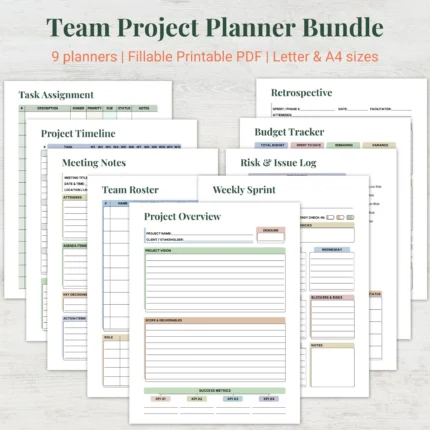
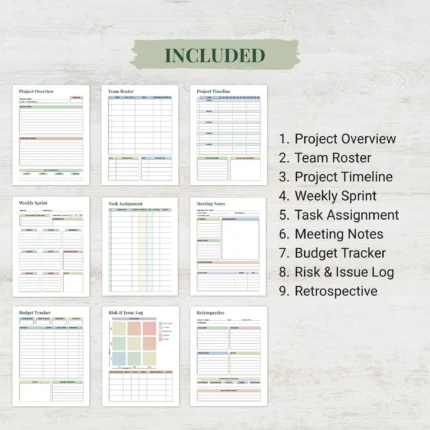
| Work planner bundle | Several work templates need to work together. | Combine daily planning, project tracking, focus sessions, meeting notes, and reviews. |
If you are deciding between one product and a full pack, use the planner bundle vs single planner guide. If you already know your work system needs several templates, compare work and productivity planner bundles.
Work Planner Examples from Daily Digital Planner
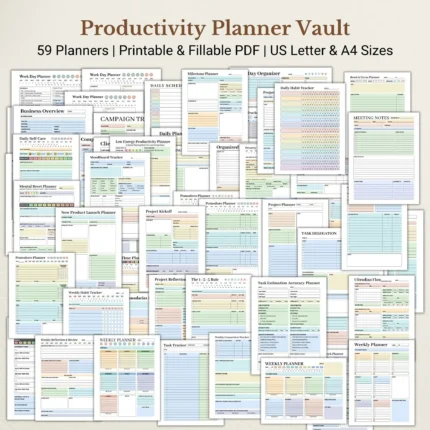
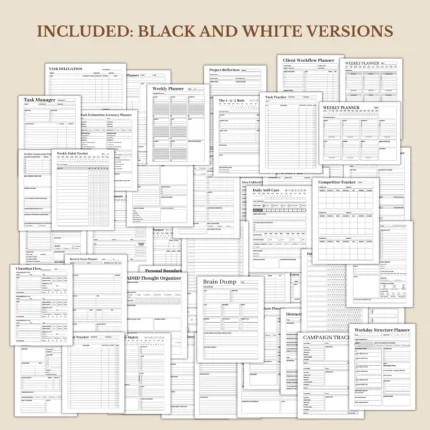
Daily Digital Planner has work planner examples across daily work pages, priority planners, project and client workflow planners, focus planners, brain dump pages, and work productivity bundles. Use the live product grid for current titles, images, prices, and availability.
These product examples show the kind of work planner intent this page supports:
- Work Day Organizer, Daily To Do List, Printable Fillable PDF, Letter and A4 sizes – a daily work organizer path for tasks and to-do planning.
- Work Day Planner, Soft Pastel Productivity Organizer, Printable Fillable PDF Daily Workflow – a workday workflow planner path for printable and fillable use.
- Daily Work Priorities Productivity Planner Matrix Printable Fillable PDF – a priority-focused planner path for sorting work tasks.
- Brain Dump Digital Planner Printable For Work Productivity – a task-capture planner path for scattered work notes.
- Client Workflow Planner, Service Provider Project Tracker, Fillable Freelancer Business Log PDF – a client workflow path for service providers and freelancers.
- Work Habit Tracker Printable for Professional Discipline and Routine – a professional routine path for repeated work habits.
- Professional Daily Work Planner Bundle, Ultimate Office Productivity Kit, 10-In-1 Business Organizer PDF – a bundle path for daily work and office organization.
- Ultimate Work Productivity Planner Bundle Printable Fillable PDF – a work productivity bundle path for several coordinated templates.
Product details can change, so treat the product page as the final source for file type, included pages, screenshots, sizes, fillable support, and current price.
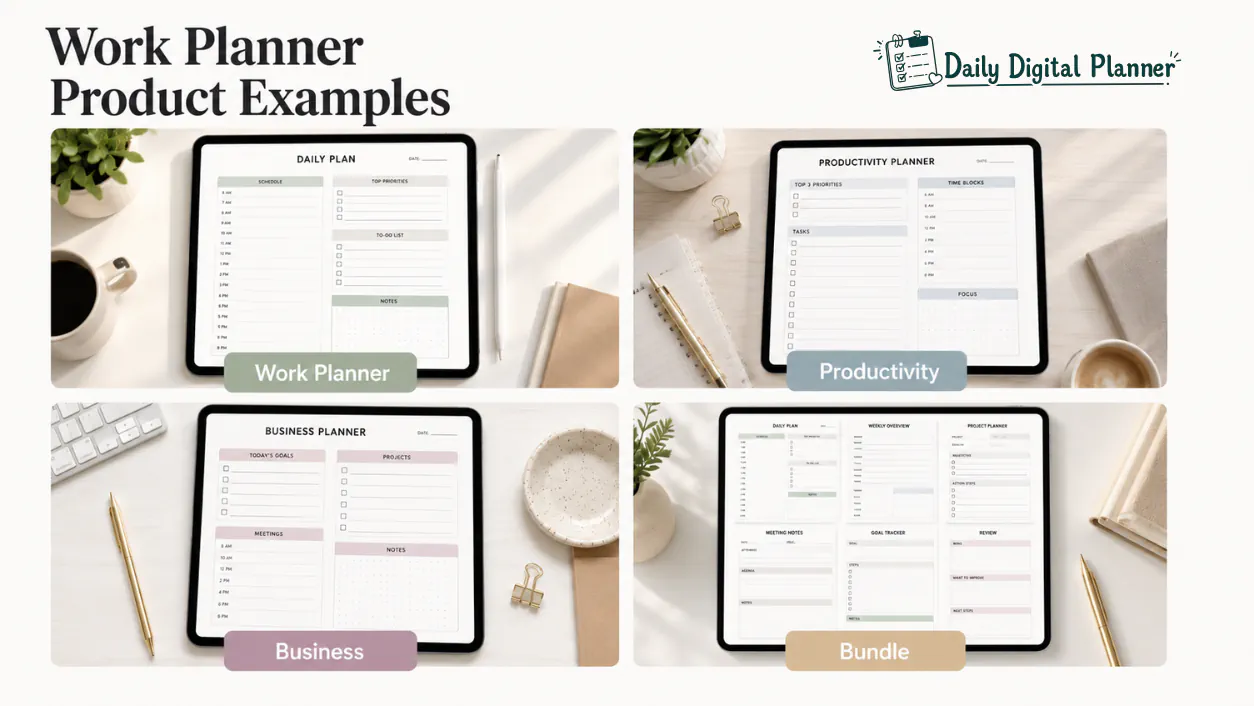
Work Planner Product Examples
How to Use a Work Planner After Purchase
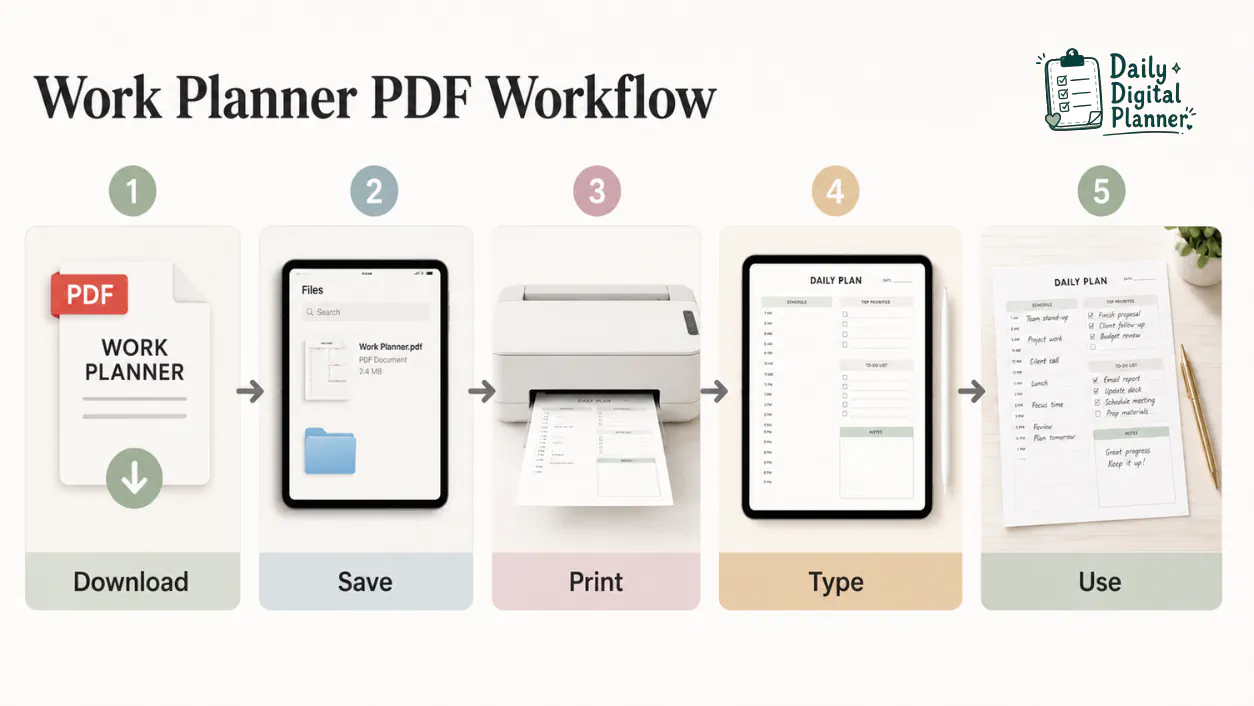
After purchase, users download the PDF files, save them, open them in a compatible PDF reader, print or type when supported, and reuse the pages for work routines. The exact workflow depends on whether the product is printable, fillable, or both.
Follow this basic setup path:
- Buy the planner product through the store.
- Download the PDF files and save a clean original copy.
- Open the files in a compatible PDF reader.
- Print blank pages if the planner is printable.
- Type into supported fields if the planner is fillable.
- Save a separate working copy for each day, project, client, or routine.
- Use the page for tasks, priorities, meetings, projects, focus blocks, and review notes.
For digital delivery details, use the site’s download and purchase instructions before checkout. Daily Digital Planner products are digital downloads, so no physical notebook is shipped unless a product page explicitly says otherwise.
FAQ About Work Planners
What is a work planner?
A work planner is a planner template for organizing professional tasks, priorities, meetings, projects, focus blocks, and follow-up actions. In this store context, a work planner is usually a downloadable PDF planner that can be printed, saved, or typed into when the product includes fillable fields.
Can I print a work planner PDF?
Yes, you can print a work planner PDF when the product is designed for printable use. Check the product page for file type, page size, orientation, and print-related notes before buying.
Can I type into a work planner PDF?
Yes, you can type into a work planner PDF only when the product includes supported fillable fields. A printable PDF may look similar, but it is not automatically typeable.
Is a work planner the same as a productivity planner?
A productivity planner can be a type of work planner when it organizes work output, priorities, focus, and task completion. A work planner is broader because it can also include meetings, projects, clients, follow-ups, and business workflow notes.
Is a business planner the same as a work planner?
A business planner is not always the same as a work planner because business planner pages focus on business workflows, client work, campaigns, or business organization. A work planner covers broader professional tasks, including daily work, meetings, projects, priorities, and focus.
Should I buy a single work planner or a bundle?
Buy a single work planner when one repeated workflow is enough, and choose a bundle when several related work templates need to work together. A work planner bundle is usually more useful when you need daily planning, project tracking, meeting notes, focus sessions, and review pages.
Are Daily Digital Planner work planners physical notebooks?
No, Daily Digital Planner work planners are digital download products unless a product page explicitly says otherwise. Review the product details and how to buy and download planner files before checkout.
Can a simple work planner help if I get overwhelmed by tasks?
A simple work planner can reduce planning friction by giving tasks, priorities, and next actions a visible structure. It should be used as an organization tool, not as medical advice, treatment, or a guaranteed productivity outcome.
Start with the Work Planner That Matches Your Workday
Start with the work planner that matches the job you repeat most often. A daily work planner fits one workday. A project or client workflow planner fits multi-step work. A productivity planner fits priorities and focus. A work planner bundle fits a larger system with several connected templates.
If you are still choosing the broader format, compare digital planner PDF templates, printable planner PDFs, and fillable PDF planners before buying. If you already know you need several related templates, compare work and productivity planner bundles.