
Daily Work Planner PDFs for Tasks, Priorities, and Meetings
A daily work planner PDF is a downloadable planner file for organizing one workday’s tasks, priorities, schedule blocks, meetings, notes, and follow-ups. It is useful when a simple to-do list is too thin, but a full work planner system feels heavier than the day needs.
Daily Digital Planner focuses on printable and fillable PDF planner templates. This page is for choosing a daily work planner for one workday, not for ranking planner apps, reviewing physical notebooks, or giving business productivity advice.
Use this page when you want a daily work planner that can hold the real shape of a workday: what needs to be done, what matters most, when work should happen, which meetings create follow-ups, and what should carry into tomorrow. For a broader buying guide, start with the main work planner PDFs hub.
Daily Work Planners: Quick Answer
Choose a daily work planner by the part of your workday that needs the most structure: tasks, priorities, schedule blocks, meetings, or follow-ups. The right planner should match how you work before it matches a design style.
Use this quick match:
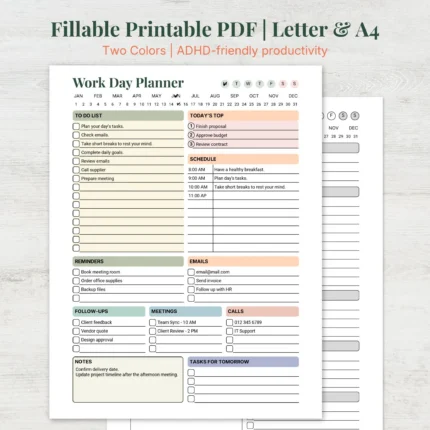
- Task-heavy day: choose a Work Day Planner when the main need is a daily task list, top priorities, schedule space, and notes.
- Priority-heavy day: use a daily work planner with priority space, or pair it with a priority planner template when the hard part is deciding what matters first.
- Meeting-heavy day: use a daily work planner with notes and follow-up space, then review meeting notes planner templates if meetings drive most of your tasks.
- Schedule-heavy day: choose a workday layout with time blocks or time slots when appointments, calls, and focus windows need to fit together.
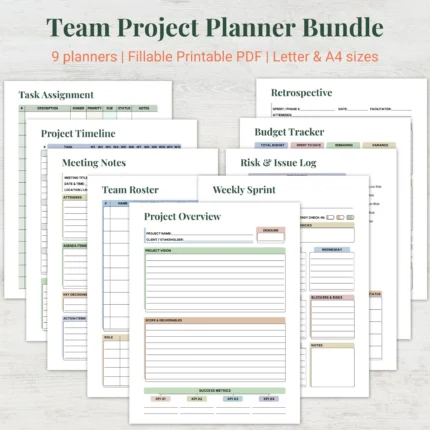
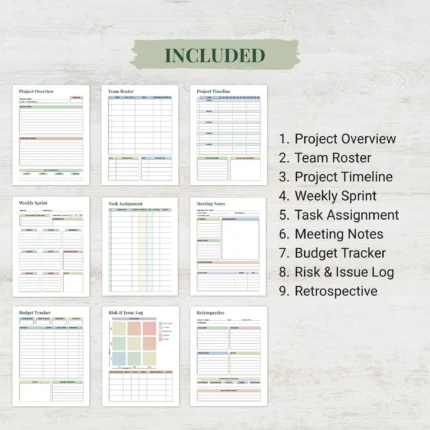
- Several workflows: choose planner bundles or the work, home, and productivity planner bundle when daily tasks, projects, meetings, focus, and reviews need separate coordinated pages.
A daily work planner should make the next workday easier to see. It should not require you to rebuild your planning system every morning.
Browse Daily Work Planner PDF Templates
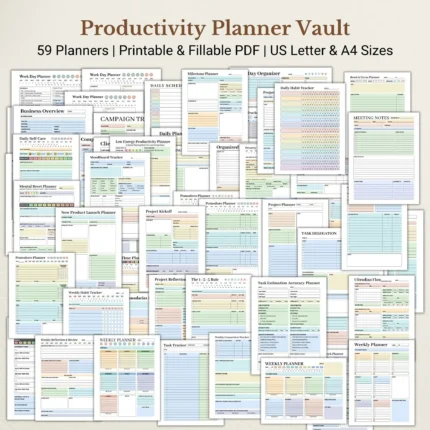
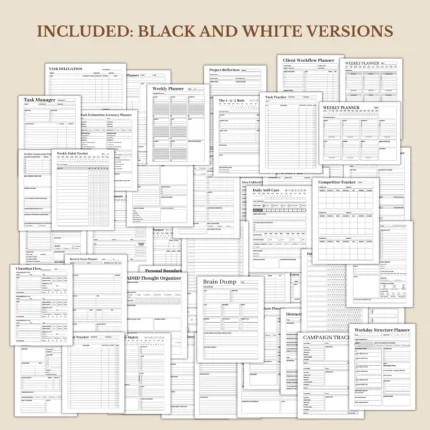
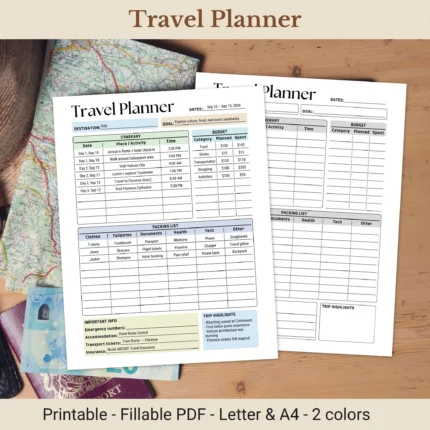
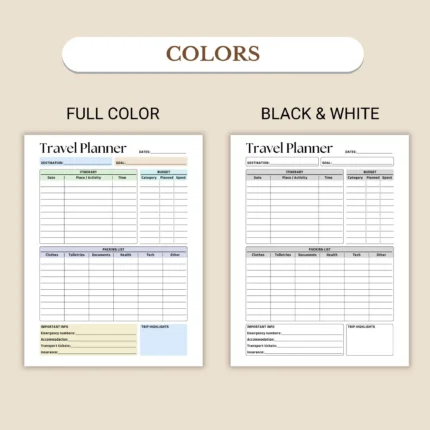
Browse daily work planner PDF templates by layout, format, and workflow before choosing a product. A daily planner page can look clean in a thumbnail and still miss the field you need most, such as a priority area, schedule block, or follow-up space.
The most direct category path for this page is Work Day Planner templates. Use that category when your main need is one daily work page for tasks, priorities, schedule notes, and workday organization.
Use productivity planner PDFs when priorities, focus, task sorting, and work output matter more than a simple schedule. Use project planner PDFs when the workday spills into deadlines, deliverables, and multi-day tasks.
Product examples to verify before publishing or buying include:
Before choosing a product, open the product page and check the current screenshots, file type, included templates, page size, orientation, printable or fillable support, instructions, price, and download access. Those product details matter more than the general category label.
Daily Work Planner PDF Templates


What Is a Daily Work Planner PDF?
A daily work planner PDF is a planner template for one workday that keeps tasks, priorities, schedule blocks, meetings, notes, and follow-ups in a printable or fillable PDF format. It gives work tasks a daily structure without turning the page into a project management app.
A daily work planner PDF can be used in different ways depending on the product:
- A printable daily work planner can be printed and written on by hand.
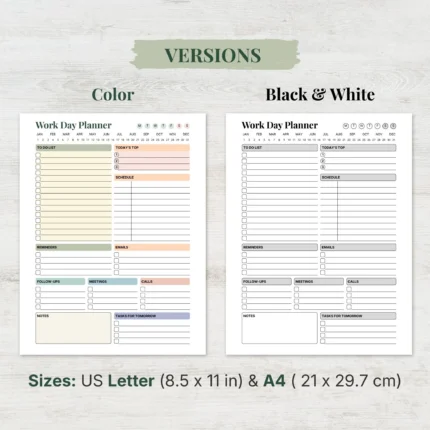
- A fillable daily work planner can be typed into only when the product includes supported fillable fields.
- A daily planner PDF can be saved, printed, or reused according to the product’s included files and terms.
- A daily work planner can stand alone or connect to a broader work planner, productivity planner, project planner, or planner bundle.
Daily Digital Planner’s broader digital planner PDF templates include printable and fillable planner formats. If you need the basic file-format definition first, read the guide to what a PDF planner is.
A daily work planner is not the same as a physical notebook shipment, a task app, a spreadsheet schedule, or a Notion workspace. Those formats can all support planning, but this page is about ready-made PDF planner files.
What Should a Daily Work Planner Include?
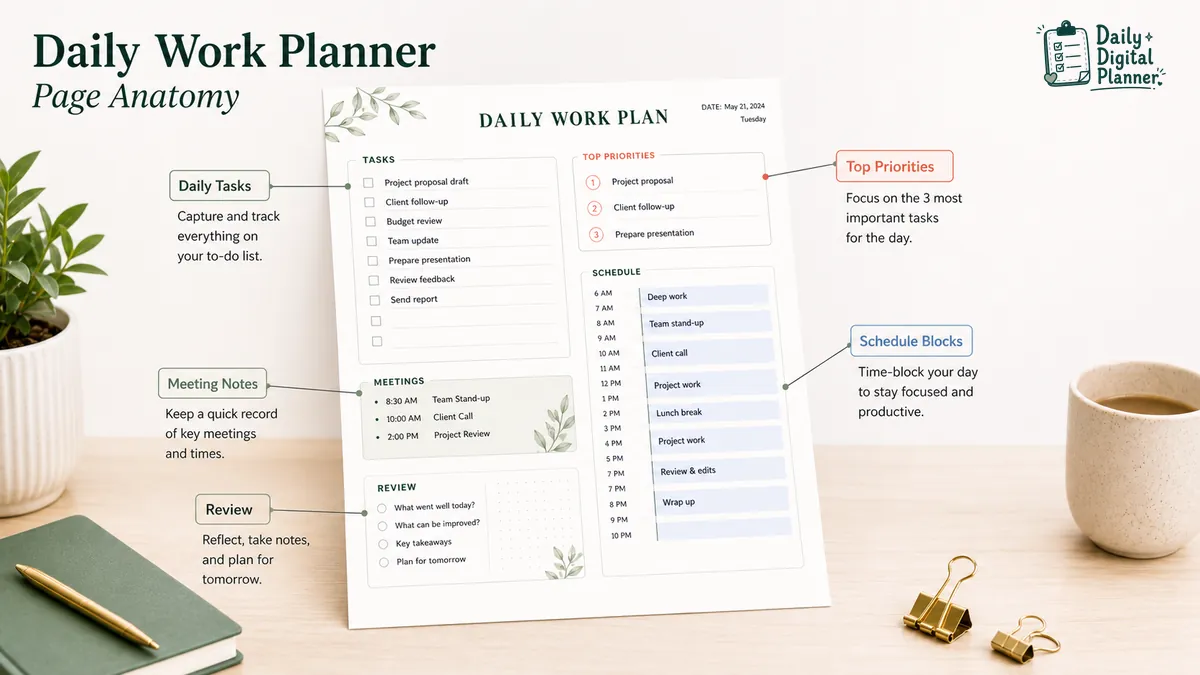
A useful daily work planner includes task capture, top priorities, schedule or time blocks, meeting space, notes, and follow-up or review space. Those fields help the page represent a workday instead of acting as a plain list.
| Planner section | What it does | Best for |
|---|---|---|
| Daily tasks | Holds the work items that need attention today. | Task-heavy workdays, admin tasks, errands, email follow-ups. |
| Top priorities | Narrows the day to the few items that matter most. | Priority-heavy days, deadline days, days with too many possible tasks. |
| Schedule blocks or time slots | Connects tasks and meetings to real parts of the day. | Appointment-heavy days, time-blocking, focused work sessions. |
| Meeting notes and follow-ups | Keeps agenda notes, decisions, and action items near the daily plan. | Meeting-heavy days, team calls, client conversations. |
| Work notes and daily review | Captures reminders, unfinished tasks, and carry-forward notes. | End-of-day review, tomorrow planning, loose details. |
The planner does not need every possible field. It needs the fields that match how your workday actually breaks down.
Daily Tasks and To-Dos
Daily tasks are the work items the planner needs to hold before you choose priorities or time blocks. A daily task area is useful for capturing the whole list first, especially when work arrives from email, meetings, clients, team messages, or personal reminders.
A good daily task section should have enough writing space to hold the day without becoming a dumping ground. If the list is long, the next section needs to help you choose what matters.
Top Priorities
Top priorities narrow the day to the few tasks that matter most. This section keeps the daily work planner from becoming only a long to-do list.
If your workday breaks down at the priority step, use a planner with a clear priority field or read how to prioritize tasks with a planner. A priority planner or priority matrix can support the daily page when every task feels urgent.
Schedule Blocks or Time Slots
Schedule blocks connect tasks and meetings to real parts of the day. This matters when a daily task list looks possible until calls, errands, appointments, or focus windows take up the available time.
Use time slots when the day depends on appointments. Use looser schedule blocks when you need morning, afternoon, and evening structure without planning every hour.
Meeting Notes and Follow-Ups
Meeting space keeps agenda notes, decisions, and follow-up tasks connected to the same workday. This prevents action items from living in a separate notebook, chat thread, or memory.
For meeting-heavy workdays, a daily planner can hold quick notes, but a dedicated Meeting Notes Planner is a better fit when agendas, minutes, action items, and follow-ups need their own structure.
Work Notes and Daily Review
Work notes and daily review space help carry unfinished tasks or follow-ups into the next workday. This section is where the daily plan becomes a repeatable routine instead of a one-off page.
Use the review area to mark what finished, what moved, and what needs another planning block. The review does not need to be long. It only needs to prevent unfinished work from disappearing.
Should You Choose a Printable or Fillable Daily Work Planner?
Choose a printable daily work planner if you want to write by hand; choose a fillable daily work planner only when the product includes fields you can type into and save. A PDF file is not automatically fillable just because it opens on a computer.
| Format | Best fit | What to check |
|---|---|---|
| Printable daily work planner | You want to print the page and write by hand. | Page size, orientation, printer settings, screenshots, and included pages. |
| Fillable daily work planner PDF | You want to type into supported fields before saving or printing. | Product details that explicitly mention fillable fields and compatible PDF use. |
| Printable and fillable planner | You want the option to write by hand or type before printing. | Whether the product includes both printable and fillable versions or fields. |
Use printable planner PDFs when paper-first planning is the goal. Use fillable PDF planners when typing into the PDF matters. If you already bought a fillable planner and need setup help, read how to use a fillable PDF planner in Adobe Acrobat Reader.
Which Daily Work Planner Fits Your Workday?
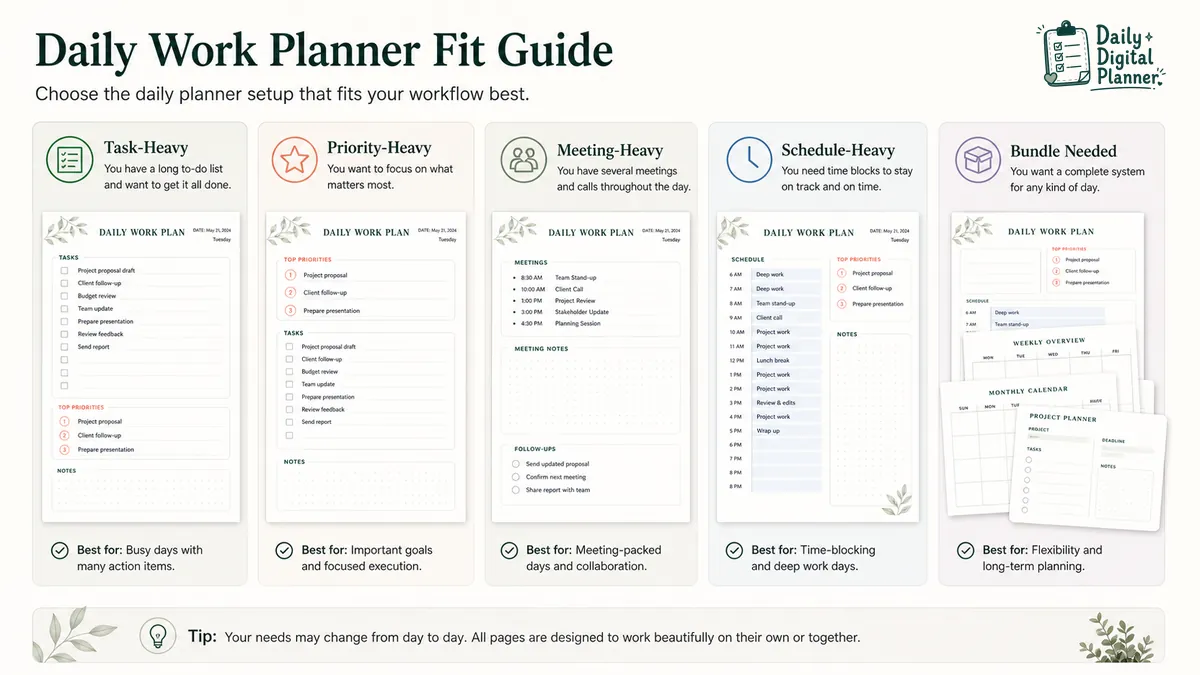
The right daily work planner depends on whether your day is task-heavy, priority-heavy, meeting-heavy, schedule-heavy, or spread across several workflows. Start with the pressure point in the workday, then choose the page structure.
| Workday type | Planner fit | What the page should show | Next step |
|---|---|---|---|
| Task-heavy workday | Daily work planner or work day planner | Daily task list, top priorities, notes, carry-over space | Browse Work Day Planner templates |
| Priority-heavy workday | Daily planner with priority space or priority matrix | Top priorities, urgent/important sorting, next action notes | Read how to prioritize tasks with a planner |
| Meeting-heavy workday | Daily work planner plus meeting notes planner | Meetings, notes, action items, follow-ups | Browse meeting notes planner templates |
| Schedule-heavy workday | Daily planner with time blocks or time slots | Appointments, focus windows, meeting blocks, admin blocks | Check product screenshots for schedule layout |
| Multi-workflow workday | Work planner bundle | Daily tasks, projects, meetings, focus, reviews | Compare the work, home, and productivity planner bundle |
This decision table is a filter, not a rule that works for everyone. Product details still need to confirm the actual fields, file type, page size, orientation, and format support.
Task-Heavy Workdays
A task-heavy workday needs a daily task list, top priority space, and notes for carry-over items. This layout works when most of the day is made of small tasks, admin work, email follow-ups, errands, or routine responsibilities.
Choose a page that gives the task list enough room, but still forces a smaller priority choice. A long task list without a priority field often becomes a storage place, not a plan.
Priority-Heavy Workdays
A priority-heavy workday needs a priority list or matrix before the full task list. This layout works when the problem is not remembering tasks, but choosing what deserves time first.
Use a simple priority field for normal days. Use a priority planner template or Priority Matrix Planner when urgent and important tasks need clearer separation.
Meeting-Heavy Workdays
A meeting-heavy workday needs notes, action items, and follow-up space, not just a to-do list. This layout works when meetings create the work that must be handled later.
Choose a daily work planner with enough notes space if meetings are light. Choose a meeting notes planner category when agendas, minutes, decisions, and follow-ups need a dedicated page.
Schedule-Heavy Workdays
A schedule-heavy workday needs time slots or blocks that connect tasks to the calendar. This layout works when work has to fit around calls, appointments, office hours, school pickup, client sessions, or focus windows.
Before buying, inspect the product screenshot for the schedule structure. Some users need hourly slots. Others only need broad blocks such as morning, afternoon, and evening.
What Should You Check Before Buying a Daily Work Planner PDF?
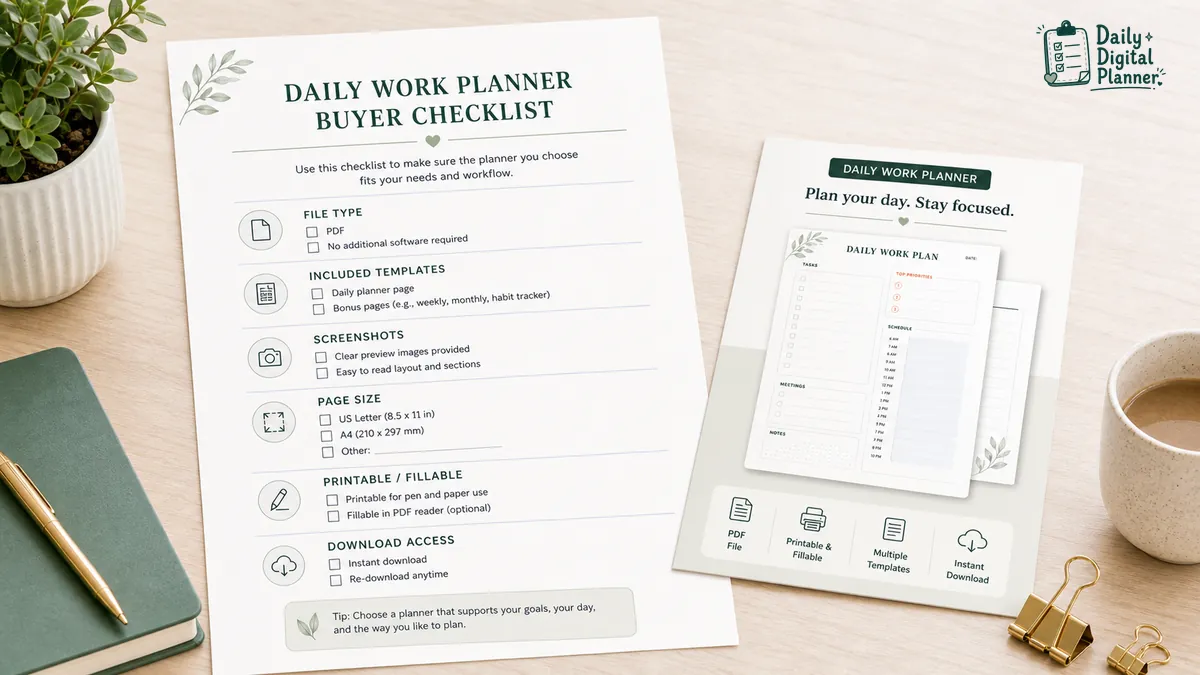
Before buying a daily work planner PDF, check the file type, included templates, screenshots, page size, orientation, printable/fillable support, instructions, price, and download access. These details decide whether the planner actually fits your workflow after checkout.
| Product detail | What to check | Why it matters |
|---|---|---|
| File type | Confirm the product is a PDF if you need printable planner pages. | PDF files preserve planner layout for printing and saving. |
| Included templates | Check whether the product includes one page or several related pages. | Daily work planning may need tasks, schedule, notes, priorities, or review pages. |
| Screenshots | Review the actual planner layout. | Screenshots show whether the fields match your workday. |
| Page size | Look for the listed paper size if you plan to print. | Page size affects printer settings, binder fit, and writing space. |
| Orientation | Check portrait or landscape. | Orientation changes how much room you have for schedules, notes, and tasks. |
| Printable support | Confirm that the product is intended for printing. | Printable support matters if you want handwriting. |
| Fillable support | Confirm typed fields only if typing matters. | A printable PDF is not automatically fillable. |
| Instructions | Look for download, print, typing, or use instructions. | Clear instructions reduce setup friction. |
| Price | Check the current product page. | Product prices can change and should not be assumed from another page. |
| Download access | Confirm how files are delivered after purchase. | Digital products depend on reliable file access after checkout. |
For download and purchase details, review how digital planner downloads work. If printing matters, use the guide to print a printable planner PDF. If typing matters, use the guide to type into a fillable PDF planner.
Daily Work Planner vs To-Do List vs Productivity Planner
A daily work planner is broader than a to-do list because it can connect tasks to priorities, time, meetings, notes, and follow-ups. It is usually narrower than a full productivity planner because it focuses on one workday.
| Page type | Main job | Best when |
|---|---|---|
| Daily work planner | Organizes one workday with tasks, priorities, schedule space, meetings, notes, and follow-ups. | You need a daily page that turns work into a visible plan. |
| To-do list | Lists tasks that need to be done. | You only need task capture and do not need time, meetings, or review space. |
| Productivity planner | Helps sort priorities, focus sessions, reviews, and output. | You need more structure around focus, prioritization, or work routines. |
Use a to-do list when the day is simple. Use a daily work planner when tasks need to connect with time, meetings, notes, and follow-ups. Use a productivity planner when priority sorting and focus planning matter more than the daily schedule itself.
Do You Need One Daily Work Planner or a Work Planner Bundle?
Use one daily work planner for a repeated daily workflow; choose a work planner bundle when daily tasks, projects, meetings, focus blocks, and reviews need separate coordinated pages. The difference is scope, not quality.
| Choice | Best fit | What to check |
|---|---|---|
| One daily work planner | You mainly need one repeatable daily page for tasks, priorities, schedule, and notes. | Check the exact layout, file type, page size, and printable/fillable support. |
| Work planner bundle | You need separate pages for daily tasks, projects, meetings, priorities, focus, or review. | Check included templates, screenshots, file count, format support, and download access. |
| Work, home, and productivity bundle | You want work planning to connect with home routines, meals, habits, or personal organization. | Check whether the included pages match both work and life planning needs. |
Planner bundles make sense when one daily page is not enough. The work, home, and productivity planner bundle is the stronger path when work planning needs connected templates rather than one daily sheet.
How to Use a Daily Work Planner After Downloading It
After purchase, download the PDF files, save a copy, open the planner in a compatible PDF reader, then print or type into the planner when the product supports it. Daily Digital Planner products are digital downloads, so file access matters as much as the page layout.
Use this basic workflow:
- Download the planner files. Use the download links from the purchase email or the Downloads section in your website account.
- Save a clean copy. Keep the original file in a folder where you can find it again.
- Open the PDF. Use a PDF reader that fits the product format, especially if the planner includes fillable fields.
- Print or type only when supported. Print printable pages for handwriting, or type into fillable fields if the product includes them.
- Reuse the daily workflow. Start with tasks, choose top priorities, place meetings or time blocks, then carry unfinished work into the next day.
For a fuller walkthrough, review how digital planner downloads work, how to print a printable planner PDF, and how to use a fillable PDF planner in Adobe Acrobat Reader.
FAQ About Daily Work Planners
Can I type into a daily work planner PDF?
Yes, you can type into a daily work planner PDF only when the product includes supported fillable fields. If the PDF is printable but not fillable, you can usually open or print it, but the file may not provide typed form fields.
Is a daily work planner the same as a to-do list?
No, a daily work planner is broader than a to-do list because it can include priorities, schedule blocks, meetings, notes, and follow-ups. A to-do list only needs to capture tasks.
Is a Daily Digital Planner product a physical planner?
No, Daily Digital Planner products are digital downloads unless a specific product page says otherwise. The checkout and download flow is built around downloadable PDF planner files, not shipped paper planners.
Do I need a daily work planner or a planner bundle?
Use a daily work planner when one daily page solves the workflow, and use a planner bundle when you need separate templates for daily tasks, projects, meetings, focus, reviews, or home routines. The bundle choice is about how many planning jobs the product needs to cover.
Can I use a daily work planner for meetings?
Yes, you can use a daily work planner for meetings if the page has enough room for notes and follow-up tasks. If meetings are a main part of your workday, a dedicated Meeting Notes Planner may give the workflow more space.
Final Buying Note
A daily work planner PDF should fit one real workday before it tries to fit every productivity method. Start with the page structure you need most, verify the product screenshots and format details, then choose the printable, fillable, or bundled option that matches how you actually plan.