
Blog
What Is a Digital Planner? PDF Templates, Printable and Fillable Formats

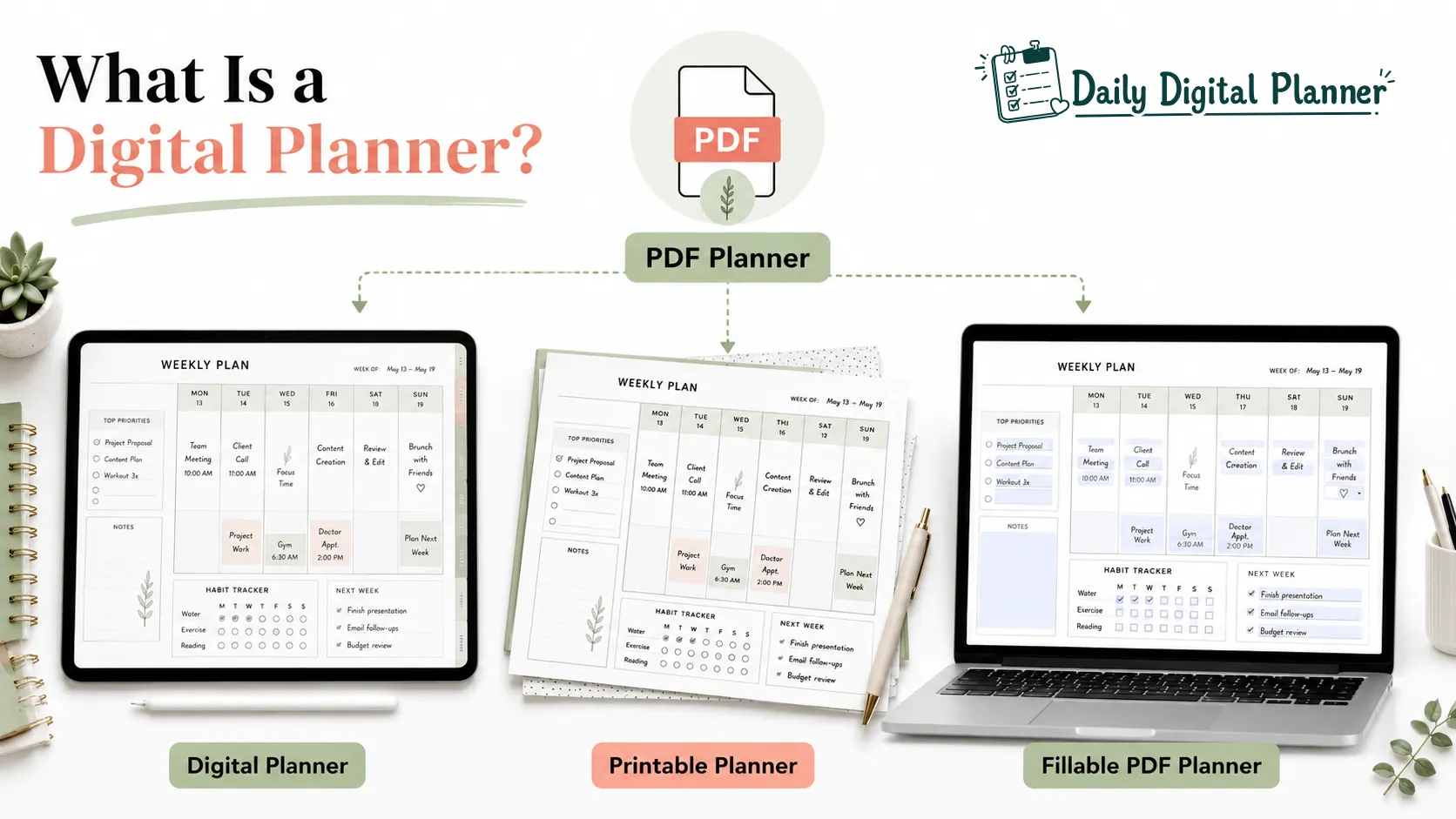
A digital planner is a downloadable PDF template or digital planning file used to organize tasks, schedules, routines, goals, and notes on a device or as a printable file.
If you are still choosing the broader format, start with digital planner PDF templates before opening individual product categories.
In the Daily Digital Planner context, a digital planner is not a broad productivity app, a Notion system, or a physical notebook. It is a practical planner file that you can download, save, open, print, type into, or annotate depending on how the PDF planner was designed. Some digital planners are best for tablet use. Some are printable planner PDFs. Some are fillable PDF planners that let you type into fields before saving or printing.
This guide explains what a digital planner is, how it works after purchase, how PDF, printable, and fillable formats differ, and how to choose a first planner format for work, home, teaching, small business, or low-friction daily planning.
What Is a Digital Planner? Quick Definition
A digital planner is a digital template, often a PDF planner, that helps users plan tasks, schedules, routines, goals, and notes without using a bound paper planner.
The phrase can describe several related formats. A tablet planner used in an annotation app is a digital planner. A printable PDF planner downloaded from an online store can also be part of a digital planner workflow because the planner starts as a digital file. A fillable PDF planner is another version because the user can type into fields and save the file.
The safest definition is this: a digital planner is the planning file or template, while the device, printer, PDF reader, or annotation app is the tool used to work with that file.
That distinction matters before buying. If you want paper pages, you need a printable planner. If you want to type into fields, you need a fillable PDF planner. If you want to write with a stylus on a tablet, you need a planner file that works well inside your preferred PDF annotation app.
How Does a Digital Planner Work?
A digital planner works by giving you a downloadable planning file that you save, open, fill, annotate, print, or reuse according to the product format and license.
For Daily Digital Planner products, the purchase path is digital delivery rather than physical shipping. For the purchase and download steps, use the guide on how to buy and download a digital planner before checkout so the file access process is clear.
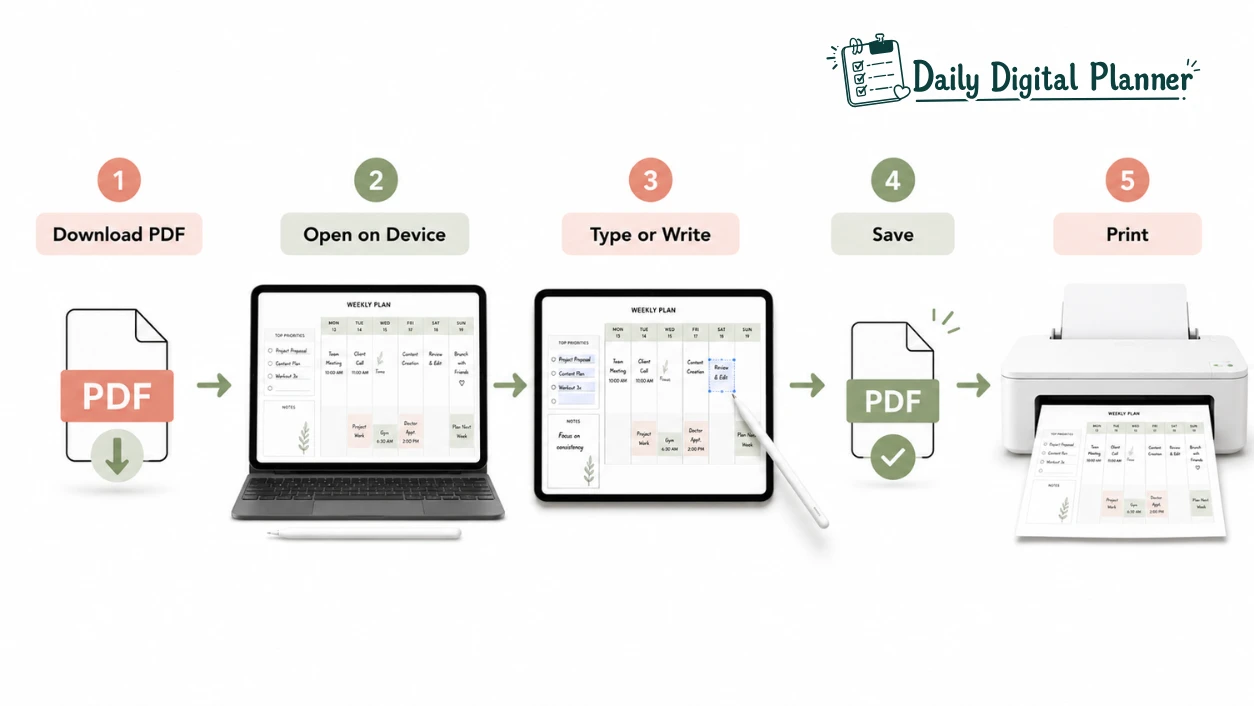
The basic workflow is simple:
- Buy or access the planner file.
- Download the PDF planner or digital template.
- Save the file somewhere easy to find.
- Open it in a PDF reader, planner app, annotation app, or browser preview.
- Type, write, annotate, save, or print pages depending on the file design.
- Keep the original file available for personal reuse according to the store’s terms.
Download the Planner File
Downloading the planner file is the first step because a digital planner is delivered as a digital product, not as a physical item shipped to your address.
After purchase, the buyer usually receives access to the planner through a download page, account area, or email link depending on the store setup. The important habit is to save the original file in a safe folder before editing, printing, or importing it into another app.
If the planner is a PDF file, keep one clean copy and use a separate working copy for daily planning. This prevents accidental edits from changing the original template.
Open the Planner on a Device
Opening the planner on a device means using a phone, tablet, laptop, desktop, PDF reader, browser, or annotation app to view the planning file.
A tablet with a stylus is common for handwriting on a digital planner, but it is not the only option. A laptop can work well for typing into a fillable PDF. A phone can work for quick review, but small screens are usually less comfortable for detailed planning pages. A desktop can work for printing, saving, or filling larger PDF pages.
Apps such as GoodNotes, Samsung Notes, Notability, Xodo, or Adobe Acrobat Reader are examples of environments that may open or annotate planner PDFs. Compatibility still depends on the specific planner file and app behavior, so product-specific compatibility should be checked before purchase.
Type, Write, Save, or Print Pages
Typing, writing, saving, and printing depend on the planner format because a regular PDF, printable PDF, fillable PDF, and hyperlinked digital planner do not behave exactly the same way.
A printable planner is designed for paper use. A fillable PDF planner includes fields that can accept typed entries when opened in compatible software. A tablet-first digital planner may support handwriting, annotation, page duplication, or navigation features inside an app. A simple PDF planner may open almost anywhere but may not include form fields or clickable navigation.
This is why the product description matters. Before buying, check whether the planner is printable, fillable, hyperlinked, sized for US Letter or A4, or intended mainly for digital annotation.
What Types of Digital Planners Are There?
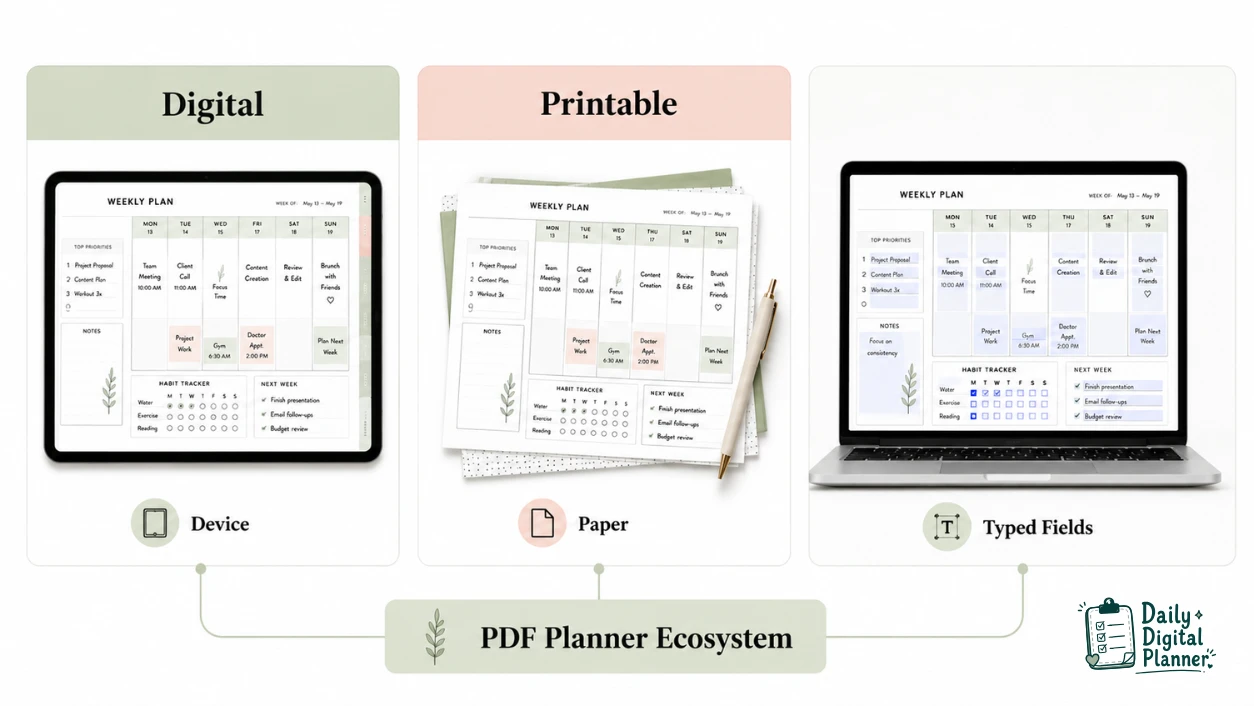
Digital planners come in several formats, and the most important types are digital planner PDFs, printable planners, fillable PDF planners, and hyperlinked planner files.
These formats can overlap. A PDF planner can be printable and fillable. A printable planner can still be opened on a device. A hyperlinked planner can be a PDF designed for app navigation. The difference is not the file name alone; the difference is how the file is designed to be used.
| Planner Format | Main Use | Typical Tools | Best For | Printing | Fillable Fields |
|---|---|---|---|---|---|
| Digital planner PDF | Planning on a device | Tablet, laptop, phone, PDF reader, annotation app | Reusable device-based planning | Only if file is printable | Only if file includes fields |
| Printable planner | Paper-first planning | Printer, paper, binder, pen | Handwriting, visible routines, desk or home planning | Required before paper use | Usually no unless also fillable |
| Fillable PDF planner | Typing into a PDF | Laptop, desktop, tablet, compatible PDF reader | Typed entries, saving, printing after filling | Often possible if designed for print | Yes, when fields are included |
| Hyperlinked digital planner | Navigation inside a file | Tablet, stylus, annotation app | Tapping between months, weeks, sections, or tabs | Depends on design | Depends on design |
The best format is the one that matches the way you will actually plan. A beautiful tablet planner will not help if you never open your tablet. A printable page will not help if you do not have a working printer or a visible place to keep the page.
Digital Planner PDF
A digital planner PDF is a downloadable planner file that can be opened on a device and used as a planning template.
If you want to understand the file format first, use the PDF planner guide to compare printable, fillable, and digital PDF workflows.
PDF is a common bridge format because it can preserve page layouts across devices and printing workflows. A PDF planner may include daily pages, weekly pages, trackers, routines, checklists, project pages, or goal pages. Depending on its design, the same file may be viewed on a laptop, imported into an annotation app, filled in with typed entries, or printed.
Not every digital planner PDF has the same features. Some are static pages. Some include clickable tabs. Some are fillable. Some are mainly print-ready. Treat “PDF planner” as the file format and check the product details for the workflow features you need.
Printable Planner
A printable planner is a downloadable planner file designed to be printed and written on by hand.
Printable planners work well for people who want paper visibility. A printed page can sit on a desk, inside a binder, on a clipboard, in a classroom area, or near a household command center. Paper planning can also reduce app switching because the next task remains visible without opening a screen.
Paper size matters for printable planners. If you need US Letter, A4, half-letter, or another size, confirm the product includes the size before printing. A printable planner should also be tested with one page before printing a large set, especially when margins, ink use, or binder setup matter.
Fillable PDF Planner
A fillable PDF planner is a PDF planner with fields that let you type entries into the file before saving or printing.
This format is useful when you like clean typed entries but still want the structure of a planner page. A fillable PDF can support typed tasks, dates, notes, checkboxes, routines, or project details when the file includes those fields and the PDF software reads them correctly.
Fillable does not always mean fully editable. A fillable PDF usually lets you type inside prepared fields. It may not let you redesign the page layout, change graphics, move sections, or alter the planner structure. Check the product details if you need both fillable fields and printable pages.
What Can You Use a Digital Planner For?
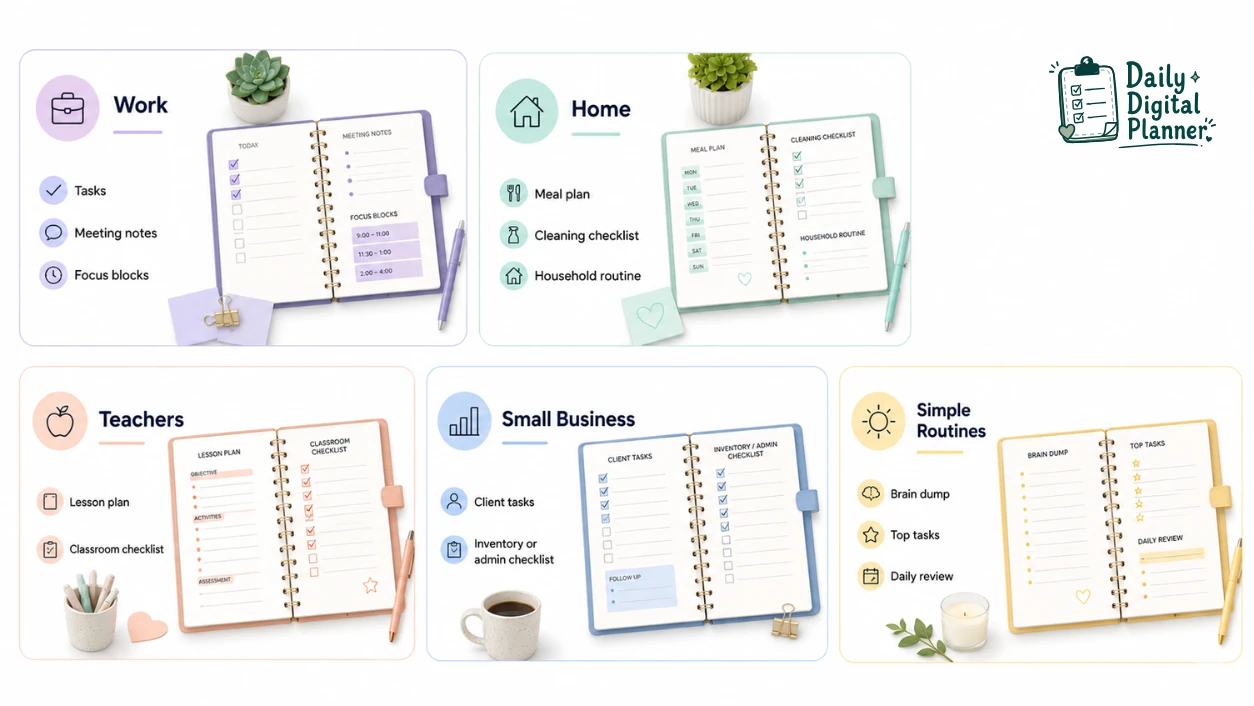
A digital planner can organize repeating planning workflows such as work tasks, home routines, schedules, meals, habits, projects, lessons, client notes, and daily priorities.
The key word is workflow. A digital planner is not only a calendar. A calendar stores dated events. A planner can hold the tasks, notes, priorities, reviews, and routine details that surround those events.
| Use Case | What the Digital Planner Organizes | Good Format Fit |
|---|---|---|
| Work planning | Tasks, meetings, projects, deadlines, focus blocks | Digital planner PDF, fillable PDF, printable daily page |
| Home and life planning | Meals, cleaning, routines, habits, family schedules | Printable planner, PDF bundle, fillable routine page |
| Teacher planning | Lesson notes, classroom checklists, schedules, substitute notes | Printable pages, digital master file, mixed PDF workflow |
| Small business planning | Client tasks, admin routines, inventory, content, projects | Digital PDF, fillable tracker, printed operations checklist |
| Low-friction planning | Brain dumps, top tasks, simple daily review, next actions | Minimal printable page, simple fillable PDF, daily planner template |
Work, Projects, and Productivity
A work planner helps organize tasks, meetings, projects, focus blocks, priorities, and follow-up notes inside one planning structure.
For device-heavy workdays, a digital planner PDF can keep project notes and task lists portable. For desk-based work, a printed daily focus page can make the most important task visible. For planning that changes often, a fillable PDF can support typed updates before saving or printing.
Work planning usually needs fewer distractions, not more sections. A useful work planner page should make the next action clear, separate urgent tasks from deep work, and leave room for notes without forcing a complicated productivity system.
Home, Meals, Habits, and Routines
A home and life planner helps organize meals, habits, cleaning routines, weekly schedules, family tasks, and personal routines.
Home planning often works well on printed pages because routines need visibility. A meal plan on a fridge, a cleaning checklist on a clipboard, or a weekly family schedule on a desk can be easier to review than a file hidden inside an app. A digital copy can still help when you want to update the plan before printing.
For home routines, the best planner page is usually the one with the least friction. A simple checklist, a weekly overview, and a visible habit tracker may be more useful than a complex dashboard with too many sections.
Teachers, Small Business Owners, and Working Adults
Teachers, small business owners, and working adults can use digital planners to repeat planning structures without rebuilding the same page every week.
A teacher might keep a digital master file for lesson planning and print classroom checklists when paper is easier to use. A small business owner might type client notes into a fillable PDF and print an operations checklist for packing, appointments, or admin work. A working adult might use a digital planner for meetings and a printable page for the daily top priorities.
The format should match the environment. Classroom planning, household routines, and client work do not create the same planning friction, so one person may need more than one template.
Digital Planner vs Printable Planner vs Fillable PDF Planner
Digital planner, printable planner, and fillable PDF planner formats differ by where the planner is used, how entries are added, and whether the file is designed for paper, typing, or device annotation.
The formats are not enemies. They are different paths inside the same planning system. A buyer can choose one format or combine formats when work, home, and personal routines need different levels of visibility.
| Format | Simple Definition | Main Use | Tools | Best For | Printing | Fillable Fields |
|---|---|---|---|---|---|---|
| Digital planner | A planner file used on a device | Device-based planning | Tablet, laptop, phone, PDF reader, annotation app | Portable notes, typed updates, reusable pages | Optional only if printable | Only if included |
| Printable planner | A planner file printed on paper | Paper-based planning | Printer, paper, pen, binder | Handwriting, visible routines, screen-free planning | Yes | Usually no unless also fillable |
| Fillable PDF planner | A PDF planner with typed fields | Typing and saving entries | Compatible PDF reader, laptop, desktop, tablet | Clean typed plans, saved forms, print-after-fill workflows | Often, if designed for print | Yes |
Use the digital planner vs printable planner decision when the main question is device versus paper. Use the fillable PDF planner decision when the main question is typing versus handwriting.
Do You Need an App, Tablet, or Printer?
You do not always need an app, tablet, or printer for every digital planner; the required tool depends on whether the file is digital-first, printable, fillable, or mixed format.
A tablet is useful when you want to handwrite on a screen with a stylus. A PDF reader is useful when you need to open, review, or print a planner file. A compatible PDF app is important when the planner has fillable fields. A printer is necessary only when you want paper pages.
Use this tool check before buying:
- If you want to handwrite on a screen, check tablet and stylus comfort.
- If you want to type into a PDF, check fillable field support in your PDF reader.
- If you want paper pages, check printer access, paper size, and ink use.
- If you want clickable tabs, check whether the planner is hyperlinked.
- If you want simple planning with no app learning curve, choose printable or basic PDF use.
Digital Planner App vs PDF Planner Template
A digital planner app is the environment used to open or manage the planner, while a PDF planner template is the actual planning file.
This difference prevents a common buying mistake. GoodNotes, Samsung Notes, Notability, Xodo, and Adobe Acrobat Reader are examples of apps or readers. The digital planner is the PDF or template you put inside that environment. If the app works but the file lacks fillable fields, you cannot type into fields that do not exist. If the file is printable but the app does not handle printing well, you may need another PDF reader for the print step.
Think of the app as the desk and the planner file as the page. The desk helps you use the page, but the page design still controls the planning structure.
How to Choose Your First Digital Planner Before You Buy
You should choose your first digital planner by matching the file format to your real planning routine, not by choosing the prettiest preview image.
Use this checklist before buying:
- Choose where planning happens. If you plan on a tablet or laptop, start with a digital planner PDF. If you plan at a desk, on a fridge, or in a binder, start with a printable planner.
- Decide whether typing, handwriting, or both matters. Choose a fillable PDF if typed fields matter. Choose printable pages if handwriting matters. Choose a tablet-friendly PDF if stylus writing matters.
- Check device, app, and printer requirements. Confirm that your PDF reader, annotation app, printer, and paper size can support the workflow.
- Decide whether the planner must be printable or fillable. Do not assume every digital planner can be printed or typed into. Look for those words in the product description.
- Choose a single planner or a bundle. If your week includes work tasks, home routines, meal planning, habits, and project planning, planner bundles may be more useful than one single template.
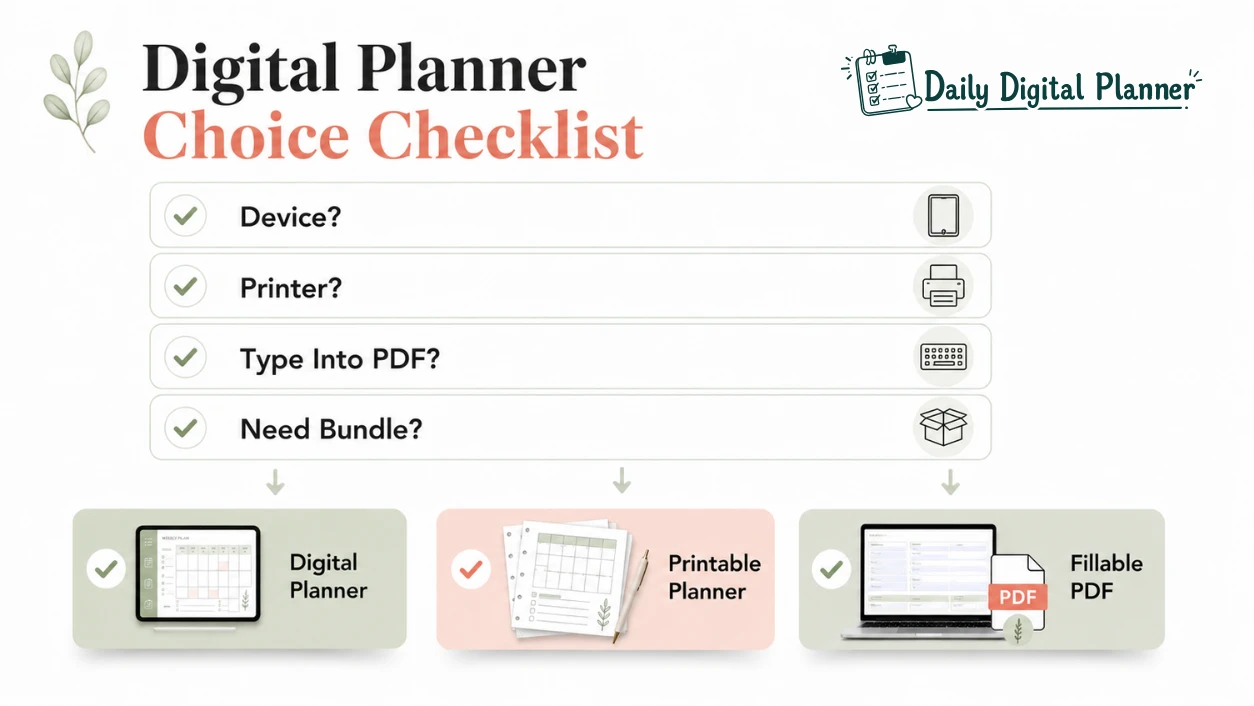
The most useful first planner is usually the one that removes one planning obstacle. If the obstacle is paper clutter, choose a digital file. If the obstacle is screen fatigue, choose printable pages. If the obstacle is messy handwriting, choose a fillable PDF planner. If the obstacle is choosing between many use cases, choose a bundle with several matching templates.
Final Recommendation
A digital planner is worth choosing when the format matches your actual planning behavior: device use, paper use, typed entries, visible routines, or a mixed PDF workflow.
Choose a digital planner PDF if you want a reusable planning file on a device. Choose a printable planner if you want paper pages you can write on and keep visible. Choose a fillable PDF planner if you want typed entries that can be saved or printed. Choose a planner bundle if your work, home, and routine planning need more than one template.
Before checkout, review how to buy and download a digital planner so you understand the digital delivery process. Then choose the planner format that makes your next planning session easier to start.
FAQ About Digital Planners
How does a digital planner work?
A digital planner works by giving you a downloadable planning file that you open, fill, annotate, save, or print depending on the file format.
Most users start by downloading the PDF planner, saving a clean copy, and opening a working copy in a PDF reader, annotation app, browser, tablet app, or desktop software.
Do you need a tablet for a digital planner?
No, you do not always need a tablet for a digital planner if the file can open on a laptop, desktop, phone, or PDF reader.
A tablet is most useful for handwriting with a stylus. A laptop or desktop may be better for typing into a fillable PDF. A printer may be more important than a tablet if your main workflow is paper planning.
Is a digital planner an app or a PDF?
A digital planner is usually the planner file or template, while an app is the tool used to open, annotate, organize, or manage that file.
Many digital planners are PDF files. Some are built for annotation apps. Some planning tools are standalone apps. For Daily Digital Planner’s source context, the safest assumption is a downloadable PDF planner or digital planner template unless a product page says otherwise.
Can you print a digital planner?
Yes, you can print a digital planner when the planner file is designed as a printable PDF and the license allows personal printing.
Not every digital planner is print-friendly. Check page size, margins, file orientation, color use, and product terms before printing a full planner.
Is a digital planner reusable?
A digital planner is reusable when you keep the original file and use, copy, or reprint it according to the product’s personal-use terms.
Reusable does not mean the file can be shared, resold, uploaded, or redistributed. Keep one clean copy of the file and use separate working copies for daily planning.
Are there free digital planners?
Yes, free digital planners can exist, but a free file may not include the format, layout quality, fillable fields, print sizes, or support that a paid planner provides.
If you only need to test a workflow, a free sample can help. If you need a planner for regular work, home, teaching, or small business routines, choose by format and usability rather than price alone.
What is the difference between a digital planner and a printable planner?
A digital planner is used mainly on a device, while a printable planner is printed on paper for handwriting and visible routines.
The formats can overlap when both start as PDF files. A printable planner can be stored digitally before printing. A digital planner can be printed only when the file is designed for printing.
What is the difference between a digital planner and a physical planner?
A digital planner starts as a digital file, while a physical planner is a printed or bound object you use directly on paper.
The practical difference is flexibility. A digital file can be saved, copied, filled, annotated, or printed depending on its design. A physical planner is ready to write in, but its pages, order, and layout are already fixed.
Is a fillable PDF planner the same as a digital planner?
A fillable PDF planner is one type of digital planner because it is a digital PDF file with fields for typed entries.
It is not the same as every digital planner. Some digital planners are static PDFs. Some are printable pages. Some are hyperlinked tablet planners. A fillable PDF planner specifically focuses on typing, saving, and sometimes printing the completed page.
What should a beginner look for in a digital planner?
A beginner should look for a digital planner with a clear layout, the right file format, simple instructions, and a workflow that matches the way they already plan.
Start with the basics: PDF format, printable or fillable behavior, device or printer requirements, page size, and the type of planning you need most often. A simple planner that you use every day is more valuable than a complex planner that creates extra setup work.