
Blog
Meeting Planner Template for Agendas, Notes, and Follow-Ups

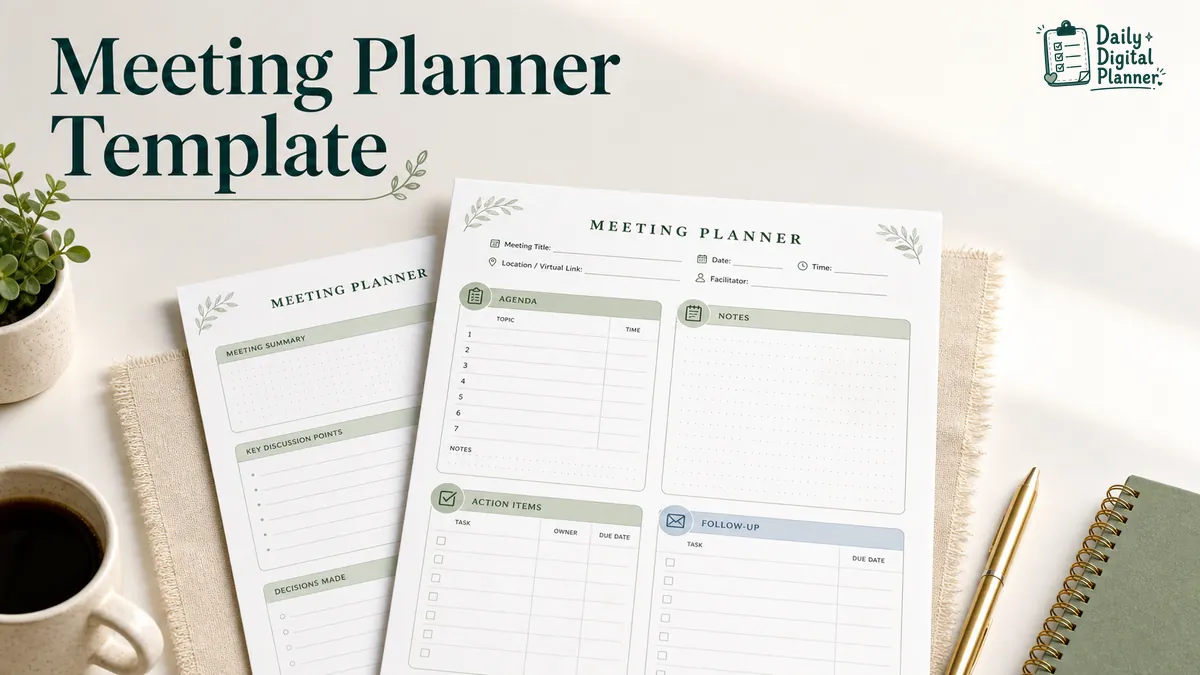
A meeting planner template is a structured planner page for preparing an agenda, taking meeting notes, capturing decisions, and assigning follow-up tasks. It gives a meeting one place for the plan, the discussion, and the next steps.
For Daily Digital Planner, the useful version is not a meeting software tutorial or an event-planning career guide. It is a printable meeting planner PDF or meeting notes page that can fit inside a wider work planner system for tasks, projects, meetings, and focus.
Use a meeting planner template when you need to:
- Prepare the meeting objective before people join.
- Keep agenda topics in one visible order.
- Record meeting notes without mixing decisions into general discussion.
- Turn notes into action items with an owner and due date.
- Carry follow-up tasks into the next workday, project page, or planner bundle.
If you already know you want printable meeting pages, the Meeting Notes Planner PDFs category is the closest product path.
What Is a Meeting Planner Template?
A meeting planner template is a structured page that includes the agenda, meeting notes, decisions, action items, and follow-up details for one meeting. A meeting agenda is only one part of it.
That distinction matters because many templates stop at "topics to discuss." A planner page should also help you record what happened and what needs to happen next. For a small business owner, freelancer, teacher, or team lead, that is usually the difference between "we talked about it" and "someone knows what to do after the meeting."
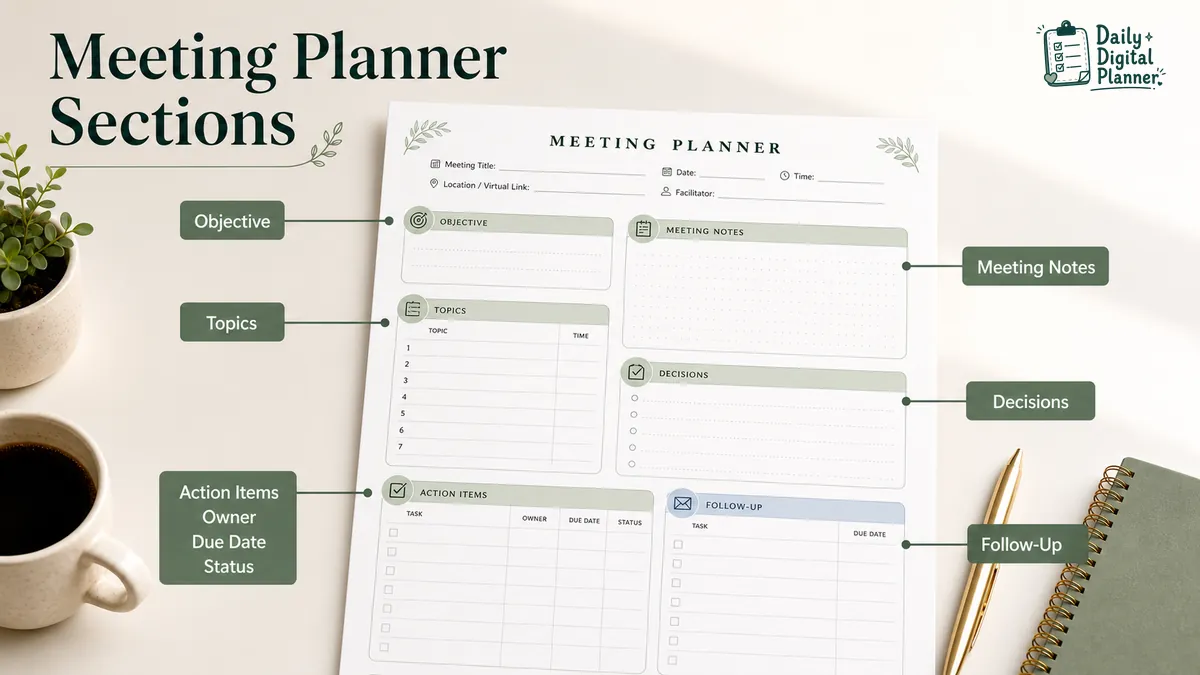
| Planner section | What it records | Why it matters |
|---|---|---|
| Meeting details | Date, meeting name, attendees, location or call type | Keeps the notes tied to the right conversation. |
| Agenda | Objective, discussion topics, questions, time blocks | Gives the meeting a clear starting structure. |
| Notes | Key points, concerns, blockers, context | Captures the discussion without forcing every sentence into a task. |
| Decisions | Final choices, approvals, direction changes | Separates confirmed outcomes from open discussion. |
| Action items | Task, owner, due date, priority, status | Turns meeting notes into follow-up work. |
| Follow-up | Pending tasks, next meeting, recap notes | Keeps unfinished items from disappearing after the call. |
Meeting minutes can overlap with meeting notes, but they are not always the same thing. In this guide, "meeting minutes" means a more formal meeting record. It does not mean legal or compliance-ready documentation.
How Do You Use a Meeting Planner Before a Meeting?
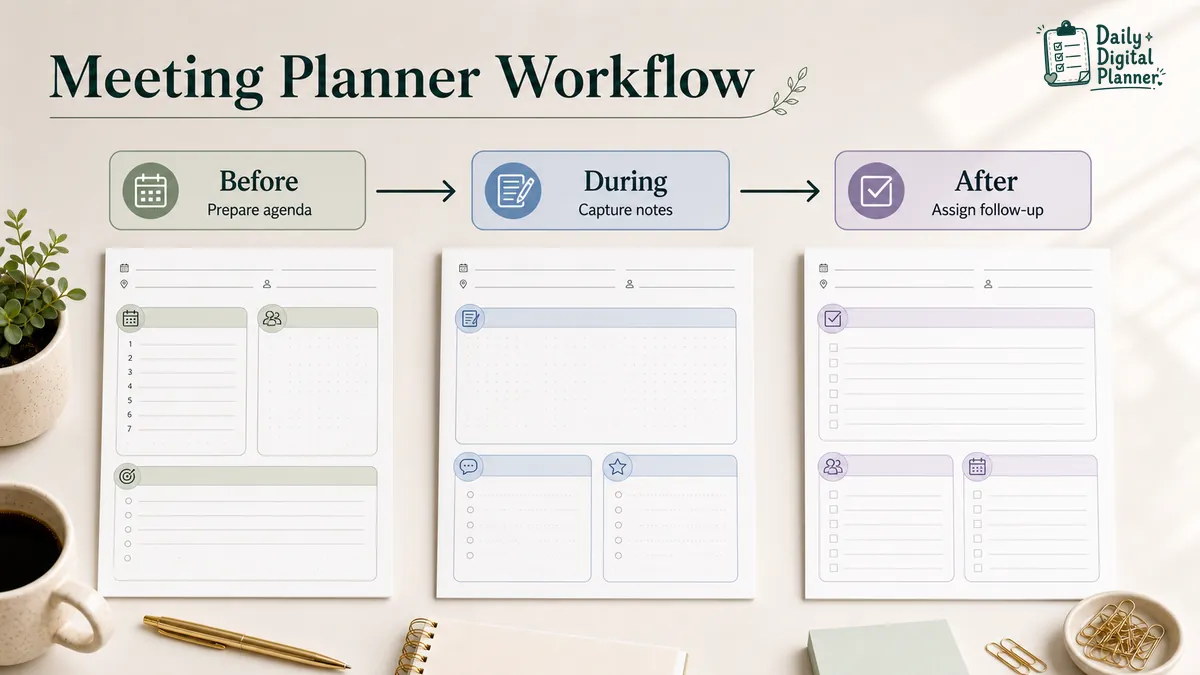
Before a meeting, use the planner to set the objective, attendees, topics, time blocks, and open questions. The page should make the meeting easier to start, not heavier to prepare.
A useful pre-meeting setup is short. It should answer what the meeting is for, who needs to be there, and which topics need attention.
- Write the meeting objective in one sentence.
- Add the attendees or roles so the notes make sense later.
- List the agenda topics in the order they should be discussed.
- Add questions that need a decision, approval, or answer.
- Estimate time only for topics that tend to expand.
- Note any files, numbers, examples, or planner pages you need during the meeting.
The objective does not need to sound formal. "Decide next week’s client deliverables" is more useful than a polished line that nobody can act on.
For recurring work meetings, keep the agenda section consistent from week to week. A stable structure makes it easier to see which topics repeat, which tasks keep slipping, and which decisions actually changed.
How Do You Take Meeting Notes During the Meeting?
During the meeting, use the notes area to record key points, decisions, open questions, and context. Do not force every note into an action item while the conversation is still moving.
Meeting notes work best when the page separates general discussion from confirmed decisions. A note can capture context. A decision should capture what was actually agreed.
Use the notes section for:
- Key points that explain why a decision was made.
- Questions that still need an answer.
- Concerns, blockers, or missing information.
- Names, dates, examples, or details you may need later.
- Decision notes that should not be buried in a long paragraph.
Use the decisions section for:
- Approved next steps.
- Final choices between options.
- Changes to a deadline, scope, schedule, or owner.
- Items that should be visible before the next meeting.
If you prefer a ready-made page for this workflow, browse Meeting Notes Planner PDFs after you understand which fields you need. That category is a better fit than a generic notebook when you want agenda, minutes, and action-item space on the same page.
How Do You Turn Meeting Notes Into Action Items?
Turn meeting notes into action items by writing the task, owner, due date, priority, and status for each next step. A meeting action item should be specific enough that someone can complete it without rereading the whole meeting note.
The action-item section is where the planner becomes practical. It stops the meeting from ending with a loose "we should do that later."
| Action item field | What to write | Example |
|---|---|---|
| Task | The next concrete action | Send updated project timeline |
| Owner | The person responsible | Evelyn |
| Due date | The date or workday when it should be done | Friday |
| Priority | Whether it matters now, soon, or later | High |
| Status | Not started, waiting, done, or carried forward | Waiting |
The task should start with a verb when possible. "Send updated project timeline" is clearer than "timeline." "Confirm print size with client" is clearer than "client print size."
If a meeting produces too many next steps, use a priority planner template to decide what needs attention first. If the action items belong inside a broader workday, productivity planner PDFs can help move those tasks into daily priorities or focus blocks.
How Do You Plan Follow-Ups After a Meeting?
A follow-up section carries unresolved decisions, assigned tasks, and next meeting notes forward. It is the part of the meeting planner that keeps work from fading after the call ends.
Follow-up does not have to become a full email template. The planner should first make the next step clear. You can send a recap later if the meeting needs one.
Use the follow-up area to:
- Mark which action items were assigned.
- Note what is still waiting on another person.
- Write the next meeting date if one exists.
- Carry pending tasks into your daily planner, project planner, or work planner.
- Add a short recap only if someone will need the context later.
Project-heavy meetings often need a second page after the meeting notes. Use project planner PDFs when follow-up tasks become timelines, client deliverables, milestones, or project checklists.
Which Meeting Planner Format Should You Choose?
Choose a printable PDF meeting planner when you want a ready-made page to print, save, or keep with your other planner pages. Choose software when live collaboration matters more than a fixed planner layout.
Search results for meeting planner templates mix several formats. That is why the right choice depends on how you plan to use the page.
| Format | Best for | Watch for |
|---|---|---|
| Printable meeting planner PDF | Handwriting agenda notes, keeping pages in a binder, saving a clean copy | Check paper size and printer scaling before printing. |
| Fillable or annotated PDF | Typing or marking up a PDF before saving or printing | Confirm the file supports fillable fields before expecting typed boxes. |
| Word, Google Docs, or Canva template | Editing the layout heavily or sharing a document with a team | More flexible, but less like a fixed planner page. |
| Meeting notebook | Taking notes by hand across many meetings | Easy to use, but harder to duplicate or organize by project. |
| Meeting software | Live collaboration, shared agendas, task assignments, team visibility | Useful for teams, but outside a printable PDF planner workflow. |
Daily Digital Planner’s context is PDF planner templates. The article can compare other formats, but the main path is still printable and downloadable planner pages.
Printable Meeting Planner PDF
A printable meeting planner PDF works best when you want a reusable page for handwriting meeting notes. It fits people who like a physical planning surface but still want a downloadable file they can reprint.
Use this format when you want to keep meeting pages with daily work pages, project pages, or productivity pages. If you plan to handwrite meeting notes, review how to print a printable planner PDF before printing several copies.
Fillable or Annotated PDF Planner
A fillable or annotated PDF planner works best when the file supports typing or when you use a PDF app to write on the page. This is useful if you want digital notes before saving or printing a copy.
Do not assume every printable meeting planner is fillable. If the selected planner file supports typing, the guide on using a fillable PDF planner in Adobe Acrobat Reader can help with the basic type-save-print workflow.
Document Templates, Notebooks, and Meeting Software
Document templates, notebooks, and meeting software are better when editing, collaboration, or team visibility matters more than planner-page consistency. A Word or Canva template gives more layout control. A notebook is simple for handwriting. Meeting software is useful when several people need the same agenda or task list.
Those options are not wrong. They just answer a different need. This page focuses on the meeting planner template as a PDF planner page that can live inside a work planning system.
What Types of Meetings Fit This Template?
A meeting planner template fits recurring meetings that need a clear agenda, useful notes, decisions, and follow-up tasks. It is less useful for informal conversations that do not create decisions or next steps.
Use the template for:
- Client meetings where decisions and deliverables need to stay visible.
- Project meetings where tasks, blockers, and deadlines change.
- One-on-one meetings where notes and follow-ups should be easy to review.
- Team check-ins where each person brings updates or blockers.
- Executive or business meetings where decisions need a clearer record.
- Coaching or service-provider calls where action items carry into the next session.
The common pattern is not the meeting type. The common pattern is the need to move from discussion to action. When the meeting produces project work, route those next steps into a project page. When the meeting produces several task priorities, route them into a daily work or productivity planner.
How Does This Connect to a Work Planner System?
A meeting planner works best as part of a work planner system that also tracks daily tasks, projects, priorities, and productivity routines. Meeting notes should not sit apart from the work they create.
The meeting planner captures what happened. The daily planner decides what gets done today. The project planner tracks larger deliverables. The productivity planner helps sort priorities and focus blocks.
If your meetings create work for the same day, use a daily work planner to connect meeting notes to tasks, priorities, and schedule blocks. If one meeting page is not enough, a work and productivity planner bundle can give you related pages for tasks, projects, meetings, routines, and follow-up work.
Browse Meeting Notes Planner PDFs
Browse Meeting Notes Planner PDFs when you want printable pages for agendas, meeting minutes, action items, and follow-up notes. View the category.
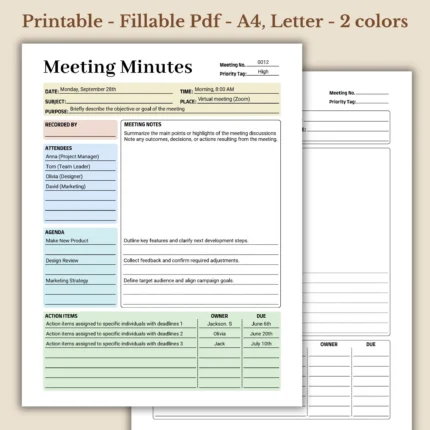
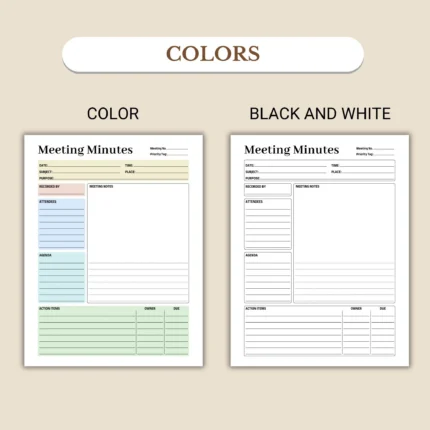
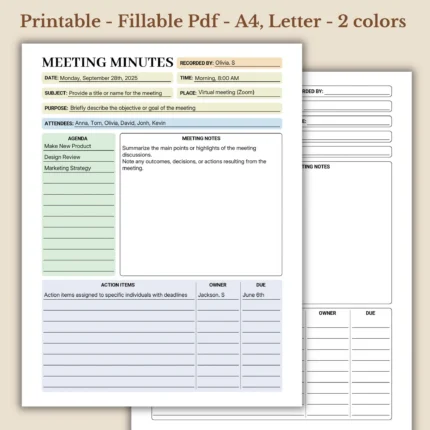
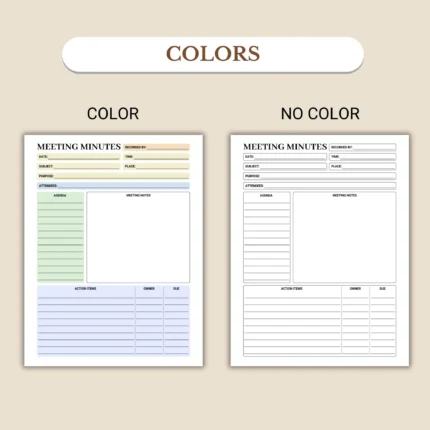
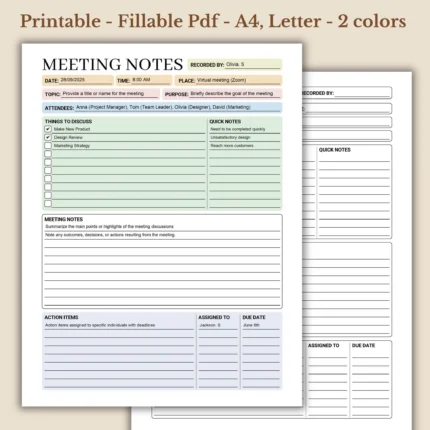
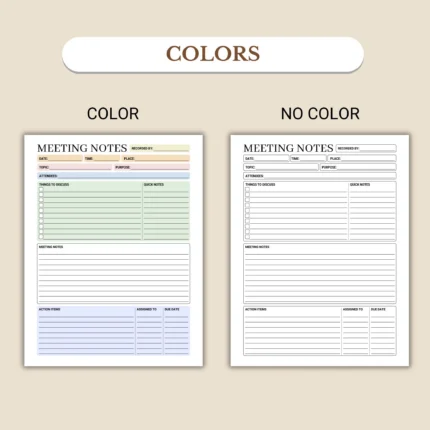
Before buying, check the product page for file type, included pages, screenshots, page size, printable or fillable support, and download access. The how to buy and download page explains where downloadable files appear after checkout.
Common Meeting Planner Questions
Is a meeting planner the same as a meeting agenda?
No, a meeting planner is not the same as a meeting agenda. A meeting agenda lists what will be discussed, while a meeting planner can also include notes, decisions, action items, and follow-up tasks.
Use the agenda section before the meeting. Use the notes and action-item sections during or after the meeting.
What should a meeting planner template include?
A meeting planner template should include meeting details, an agenda, notes, decisions, action items, owners, due dates, and follow-up space. Those sections cover the meeting before, during, and after the discussion.
Some templates may also include attendees, time blocks, open questions, status fields, or next-meeting notes.
Is this a Microsoft Planner tutorial?
No, this page is not a Microsoft Planner tutorial. This guide is about printable and downloadable meeting planner PDF pages, not Microsoft Planner, Teams, OneNote, or meeting-management software.
Software can be useful for shared teams. A PDF meeting planner is better when you want a fixed planner page to print, save, or use with other planner templates.
Can I print a meeting planner PDF?
Yes, you can print a meeting planner PDF if the file is designed for printing and your printer settings match the page size. Check the product details and print settings before printing multiple copies.
The safest first step is to print one test page. That helps you check margins, scale, and readability.
How do I keep track of meeting follow-up tasks?
Keep track of meeting follow-up tasks by writing each task with an owner, due date, and status before the meeting notes are closed. Then move those tasks into your daily planner, productivity planner, or project planner.
That small transfer step matters. Meeting notes are useful only if the next action ends up somewhere you will see it again.