
Blog
Project Planner PDFs for Tasks, Timelines, and Client Work

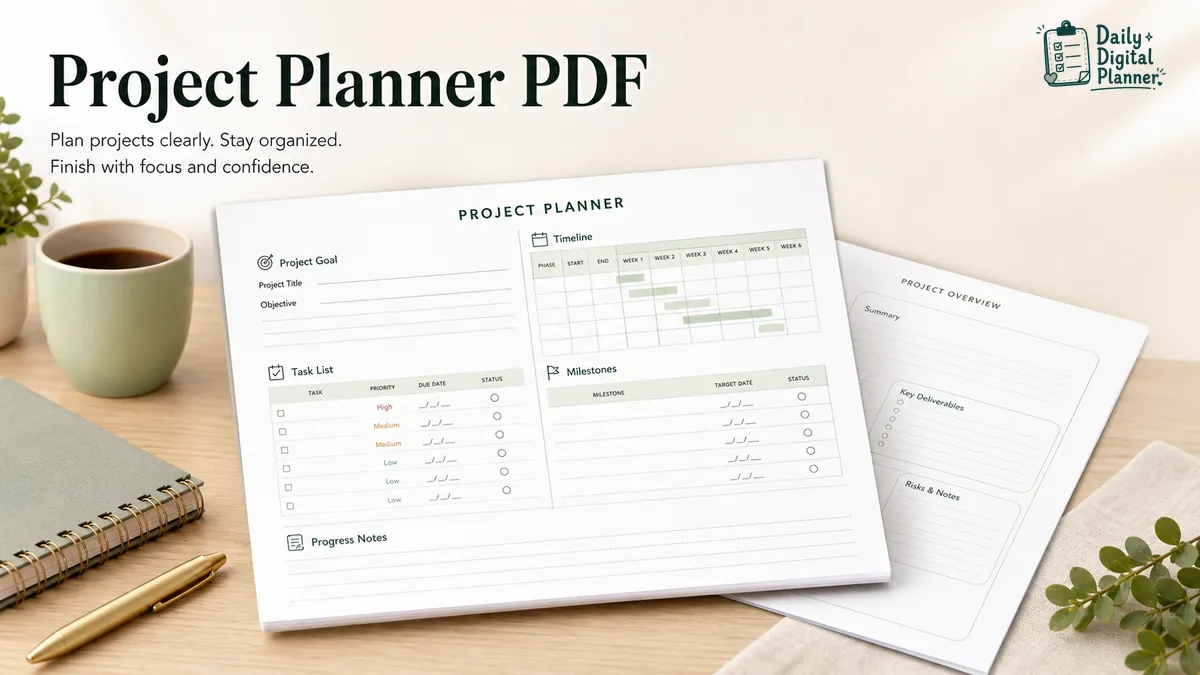
A project planner PDF is a downloadable planner template for outlining a project, breaking it into tasks, setting dates, and tracking progress in one printable or fillable page set. It works best when you need a clear project page without turning the whole workflow into project management software.
For Daily Digital Planner, the useful version is practical and page-based: a project planner, project tracker, milestone page, or client workflow planner that can support work planning without adding a complicated app. If you already know you want ready-made pages, browse the project planner PDFs category for task tracking, milestones, kickoff planning, progress reviews, and client workflow pages.
Use a project planner PDF when you need to:
- Define the project goal before tasks spread across notes.
- Break the project into tasks, dates, priorities, and status fields.
- Keep milestones and progress checks visible.
- Plan client work without losing follow-up details.
- Connect project tasks to a daily work planner, meeting planner, or productivity planner.
This guide focuses on printable and fillable PDF planning pages. It mentions software only where the format choice matters.
What Is a Project Planner PDF?
A project planner PDF is a structured planning worksheet that helps you define a project goal, organize tasks, set dates, track milestones, and review progress. It is simpler than project management software because the main object is a planner page, not a shared app dashboard.
A project planner PDF can be printed for handwriting, used as a fillable PDF when the file supports typing, or kept with other work planner pages. Project planning is one part of a wider work planner PDFs system for daily tasks, meetings, projects, and focus.
| Planner part | What it records | Why it matters |
|---|---|---|
| Project goal | The main outcome or deliverable | Gives the planner a clear purpose before tasks are listed. |
| Scope notes | What is included, excluded, or still unclear | Keeps the project from expanding without a decision. |
| Task list | Actions needed to complete the project | Turns the goal into smaller work items. |
| Timeline | Start date, due date, phases, and schedule notes | Shows when work should happen. |
| Milestones | Key checkpoints or phase completions | Shows whether the project is moving in the right order. |
| Priority | What matters first, soon, or later | Helps when the task list is too long. |
| Status | Not started, in progress, waiting, or done | Makes progress visible without rewriting the plan. |
| Notes and review | Context, decisions, lessons, and follow-up | Keeps project memory attached to the project page. |
A printable project planner is especially useful for lightweight projects. Client work, small business planning, creative work, home projects, school projects, and recurring internal work often need structure more than software.
What Should a Project Planner PDF Include?
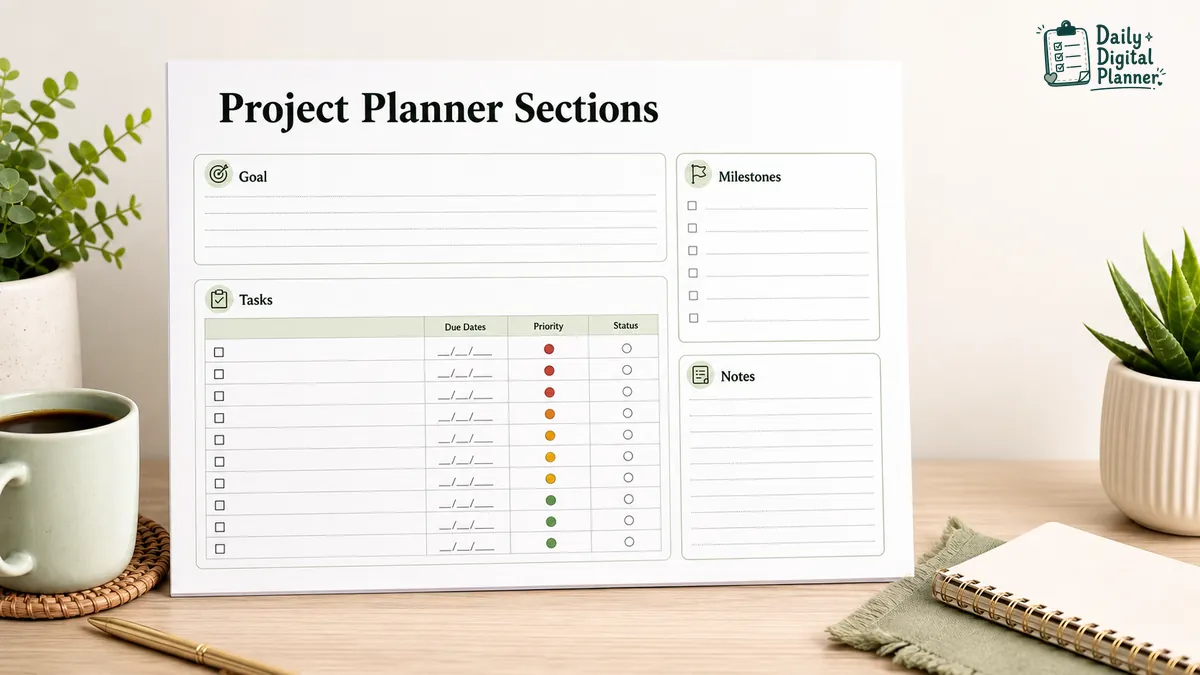
A useful project planner PDF should include the project goal, task list, timeline, milestones, due dates, priority, status, notes, and review space. Those fields give the page enough structure without turning it into a full project management system.
The best planner layout depends on the project, but most project planner templates need these sections:
| Field | Use | Best for |
|---|---|---|
| Project name | Identify the project quickly | Any project with more than one task. |
| Goal or objective | State the result the project should produce | Client deliverables, business projects, school assignments, creative work. |
| Scope | Note what is included, excluded, or undecided | Projects that tend to grow after they start. |
| Task list | Break the project into actions | Work projects, service projects, home projects, recurring projects. |
| Priority | Decide what must happen first | Projects with too many possible next steps. |
| Due date | Attach a date to the task, phase, or project | Deadline-driven work. |
| Timeline or milestones | Mark phases, checkpoints, and target dates | Multi-step projects or client work. |
| Status | Track whether a task is not started, waiting, active, or done | Progress tracking and follow-up. |
| Notes | Keep context, ideas, questions, and decisions together | Client work, meetings, creative projects. |
| Review or reflection | Capture what changed, what worked, and what should carry forward | Repeat projects and professional growth. |
A project planner PDF does not need every possible field. A simple project may only need a goal, task list, due dates, and notes. A client project may need milestones, meeting notes, follow-up tasks, and progress tracking.
The important test is whether the page helps you answer three questions: what is the project, what needs to happen next, and how will you know it is moving?
How Do You Use a Project Planner for Tasks?
Use a project planner for tasks by turning the project goal into specific actions with a priority, due date, and progress status. A good task line should be clear enough that you can act on it without rereading every note.
Start with the project goal before writing tasks. Then break the project into actions that can be completed, delegated, scheduled, or carried forward.
- Write the project goal in one clear sentence.
- List the first tasks that must happen before anything else moves.
- Add due dates only where the date changes the decision.
- Mark priority so the task list does not become a flat pile.
- Add status as work moves from not started to waiting, active, or done.
- Move the next task into your daily planner when it needs a time block.
| Task field | What to write | Example |
|---|---|---|
| Task | The next concrete action | Draft client project outline |
| Priority | How important the task is now | High |
| Due date | When the task should be finished | Friday |
| Status | Current progress state | In progress |
| Notes | Context needed to complete the task | Waiting on image files |
Task wording matters. "Draft client project outline" is more useful than "client project." "Confirm milestone dates" is more useful than "timeline."
If the project task list gets crowded, use a priority planner template to sort what matters first. Priority planning helps separate urgent work, important work, and tasks that can wait.
How Do Timelines and Milestones Fit Into a Project Planner PDF?
A project planner PDF can map start dates, due dates, phases, and milestones, but it will not automate dependencies like project management software. That makes it useful for lightweight project tracking, not complex team scheduling.
Use the timeline section for the few dates that actually guide the project. Too many dates make a PDF planner harder to scan.
Good timeline fields include:
- Start date: when the project begins.
- Due date: when the project should be finished.
- Milestone: a checkpoint that shows progress.
- Phase: a group of related tasks.
- Review date: when you check what changed.
A milestone is not just another task. A task is an action you complete. A milestone is a checkpoint that tells you a phase is complete or a project has reached a meaningful point.
For example, "send first draft" is a task. "Draft approved" is a milestone. The difference matters because milestones show project movement, while tasks show project work.
When Is a Printable Project Planner Better Than Project Management Software?
A printable project planner is better for simple personal, client, creative, school, or small business projects, while project management software is better for team collaboration, automation, and complex dependencies. The right format depends on how much coordination the project needs.
Search results for project planner PDFs often mix printable templates with software tools. That does not mean every project needs an app. It means users are often deciding between a simple planning page and a shared project system.
| Format | Best for | Watch for |
|---|---|---|
| Printable project planner PDF | Handwriting tasks, milestones, and notes on a fixed page | Check print settings before printing several copies. |
| Fillable project planner PDF | Typing into supported fields before saving or printing | Confirm the selected file is fillable before expecting typed boxes. |
| Editable document or design template | Changing the layout heavily before use | More flexible, but less stable as a repeatable planner page. |
| Spreadsheet | Sorting rows, dates, and task lists | Useful for data, but less comfortable for page-based planning. |
| Project management software | Shared tasks, team visibility, automations, and complex dependencies | Useful for teams, but heavier than a printable PDF workflow. |
A printable PDF works well when one person owns the planning page or when the project is small enough to review manually. A fillable PDF can help when you prefer typed planning and saved copies. If you plan to print your pages, the guide on how to print a printable planner PDF can help you test scale and readability before printing a full set.
If the project needs live assignments across a team, reminders, file sharing, automated dependencies, or shared dashboards, software may be the better tool. That is a different use case from choosing a project planner PDF.
If the selected planner supports typing, the guide on using a fillable PDF planner in Adobe Acrobat Reader can help with the basic type-save-print workflow.
Which Project Planner Layout Fits Your Project Type?
The best project planner layout depends on whether the project needs client workflow, milestones, progress reporting, or a simple task list. A single layout can work for many projects, but the most useful fields change by project type.
| Project type | Best layout | Why it fits |
|---|---|---|
| Client work | Client workflow planner with notes, deliverables, follow-up, and task tracking | Client projects need visible context, decisions, and next steps. |
| Business project | Kickoff planner, milestone planner, and progress tracker | Business work often needs goals, phases, and review points. |
| Creative or DIY project | Task list, materials notes, milestone dates, and open ideas | Creative work needs enough structure without blocking iteration. |
| School or personal project | Simple project goal, task list, due dates, and notes | Smaller projects usually need clarity more than many fields. |
| Recurring work project | Project review, status tracker, and reusable task structure | Repeat projects improve when the review notes carry forward. |
Client work usually needs more than a basic task list. Notes, follow-up, and progress tracking matter because client projects often change after calls, approvals, or missing information.
Business projects usually need a kickoff page and milestone view. Creative or DIY projects often need room for materials, examples, and flexible notes. School or personal projects usually need a simpler page so the planner does not become more work than the project.
If one project page is not enough, a work and productivity planner bundle can cover tasks, meetings, routines, project pages, and related planning needs together.
How Does a Project Planner Connect to Meetings, Priorities, and Daily Work?
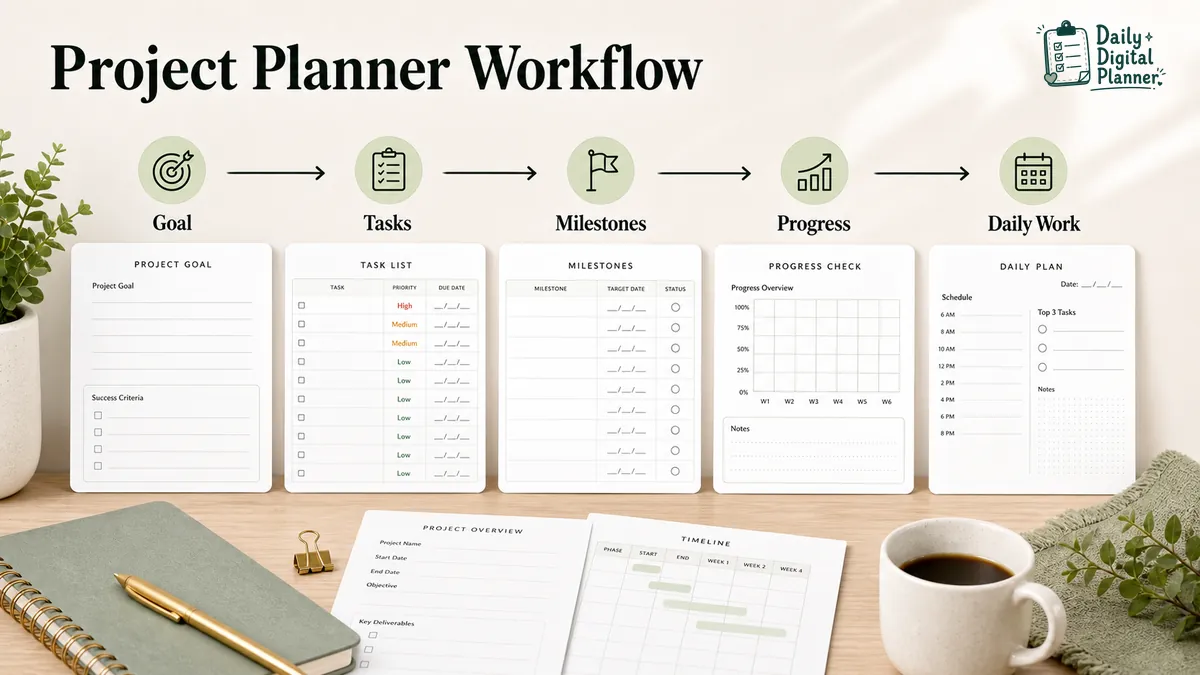
A project planner works best when meeting notes create tasks, priority planning sorts them, and a daily work planner schedules them. Project planning should not sit apart from the work it creates.
The project planner holds the bigger goal, timeline, milestones, and progress. A meeting planner template captures the decisions and action items that often change the project. A priority planner template helps decide which project tasks matter first.
After the project plan is clear, daily work planner PDFs help move the next actions into a workday. That transfer is where project planning becomes usable: the project page shows the direction, and the daily work page shows what gets done next.
For project meetings, a meeting notes planner can capture decisions before they become tasks. For general task flow around the project, productivity planner PDFs can support priorities, focus, and progress habits.
Project Planner PDFs From Daily Digital Planner
Daily Digital Planner has project planner PDFs for client workflow, milestone planning, kickoff planning, task tracking, progress tracking, and project review. The category is built around printable and fillable PDF planning pages rather than software dashboards.
Use the Project Planner category when you want pages for project setup, client tasks, milestones, progress tracking, and project reflection. Product titles in the category currently include client task planning, client workflow, milestone overview, project kickoff, project task tracking, progress tracking, team task management, project reflection, and task management planner pages.
Browse Project Planner PDFs
Browse Project Planner PDFs when you want printable or fillable pages for tasks, milestones, client workflow, progress tracking, and project review. View the category.
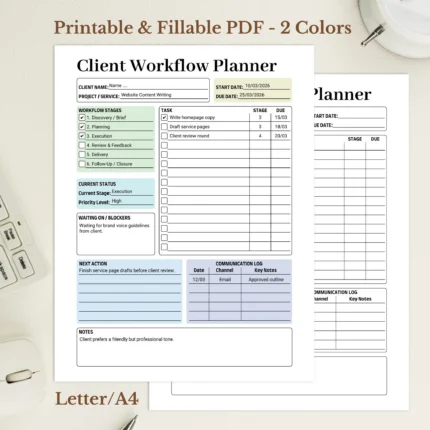
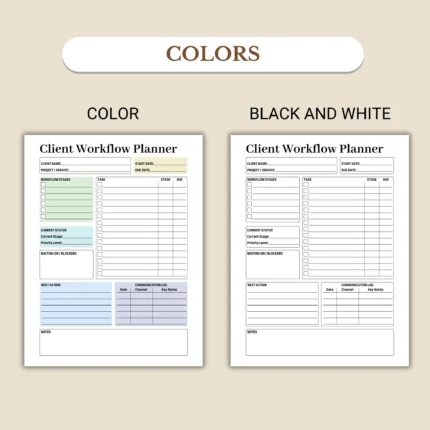
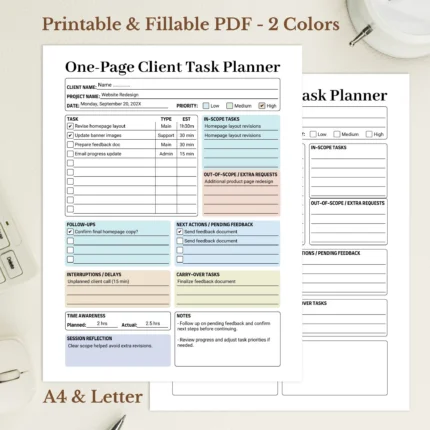
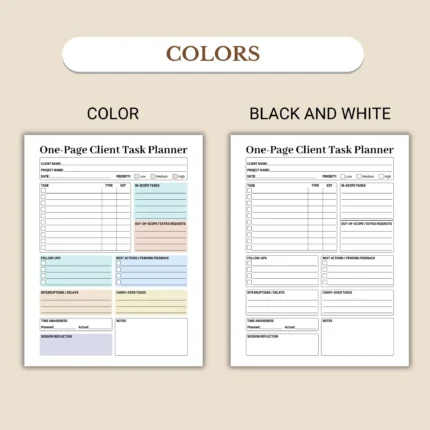
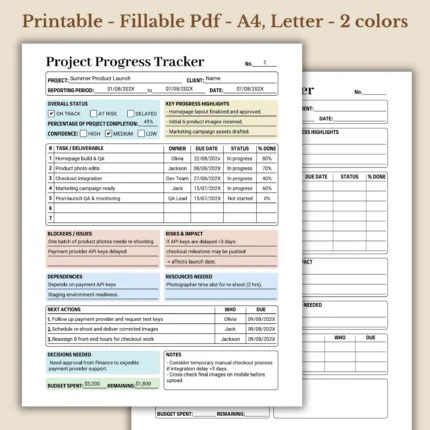
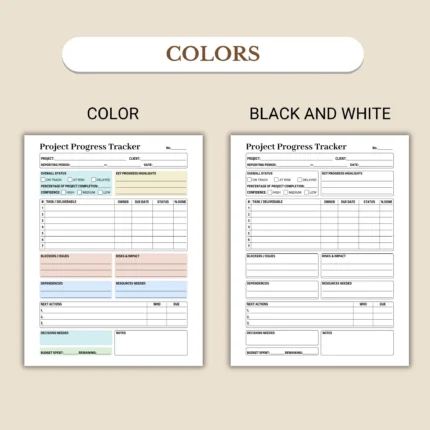
Before buying, check the product page for file type, included pages, screenshots, page size, printable or fillable support, and download access. The how to buy and download page explains the purchase and download path.
Common Project Planner PDF Questions
Common project planner PDF questions usually come down to format, client use, printing, typing, and the boundary between a PDF page and project management software.
Is a project planner PDF the same as project management software?
No, a project planner PDF is not the same as project management software. A project planner PDF is a printable or fillable planning page, while project management software usually supports shared tasks, collaboration, reminders, dashboards, and automation.
Use a PDF planner when the project needs a clear page. Use software when a team needs live shared tracking.
Can I use a printable project planner for client work?
Yes, you can use a printable project planner for client work if the planner has room for goals, deliverables, tasks, due dates, notes, and follow-up. Client work usually needs context as much as it needs a task list.
For service providers and freelancers, the most useful layout usually includes client notes, project tasks, milestone dates, and progress status.
Should I choose a fillable or printable project planner?
Choose a fillable project planner if you want to type into supported PDF fields, save a copy, and keep the page digital. Choose a printable project planner if you prefer handwriting, binder pages, or a physical planning surface.
Do not assume every printable PDF is fillable. Check the product details before expecting typed fields.
What is the difference between a project planner and a project timeline?
A project planner organizes the full project, while a project timeline organizes dates, phases, and milestones. The timeline is one section of the project planner, not the whole planner.
Use the project planner for goals, tasks, notes, and status. Use the timeline to see the order and dates of the work.
Does a project planner PDF replace Microsoft Planner?
No, a project planner PDF does not replace Microsoft Planner for team collaboration, shared dashboards, or automated task management. It replaces a loose note, scattered task list, or unclear project page when the project is light enough to plan manually.
That boundary is useful. A PDF planner is strongest when you want a page you can print, fill, review, and keep with your other planner templates.