
Blog
Campaign Tracker Planner for Marketing, Ads, and Small Business Campaigns

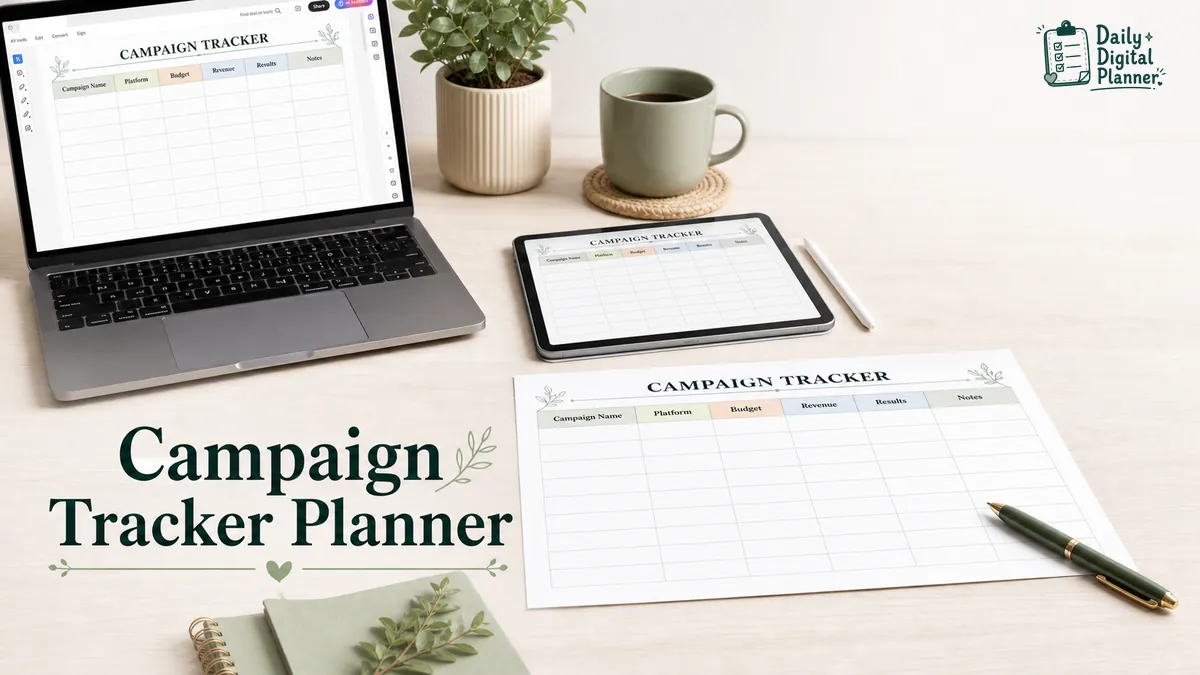
A campaign tracker planner is a template for recording marketing campaign details, dates, platforms, budget, results, and review notes in one place. For Daily Digital Planner, the practical version is a printable or fillable PDF planner for small business campaigns, ad campaigns, content promotions, product launches, and simple marketing follow-up.
This article is about business and marketing campaigns. It is not about D&D campaigns, political campaign strategy, or enterprise marketing automation. The goal is narrower: help you decide what to track, how to review a campaign, and when a PDF tracker is enough.
Use a campaign tracker planner when you need to:
- Plan a campaign without opening a full software workspace.
- Keep ad spend, platform, revenue, results, and notes together.
- Review what happened after a launch, promotion, or content campaign.
- Print the tracker, type into a fillable PDF, or keep a saved digital copy.
- Connect campaign work to business planner PDFs when marketing tasks sit beside client work, launches, meetings, and planning notes.
What Is a Campaign Tracker Planner?
A campaign tracker planner is a planner page or template that helps you record campaign goals, dates, platforms, budget, campaign activity, results, and review notes. In a marketing context, it works like a campaign organizer: it keeps the campaign plan and the campaign record close enough to review.
A campaign tracker is not the same as a marketing strategy service. It does not decide the offer, write the ads, or guarantee better results. It gives the work a visible place to live so you can see what was planned, what ran, what was spent, what happened, and what should be changed next time.
For a small business owner, a campaign might be a seasonal promotion, product launch, email sequence, ad test, social media push, local event promotion, or client-service offer. For a content creator, a campaign might be a grouped set of posts, videos, emails, and affiliate links around one message or date.
The useful question is simple: when you look back at the campaign later, can you tell what you tried and what happened?
What Should a Marketing Campaign Tracker Include?
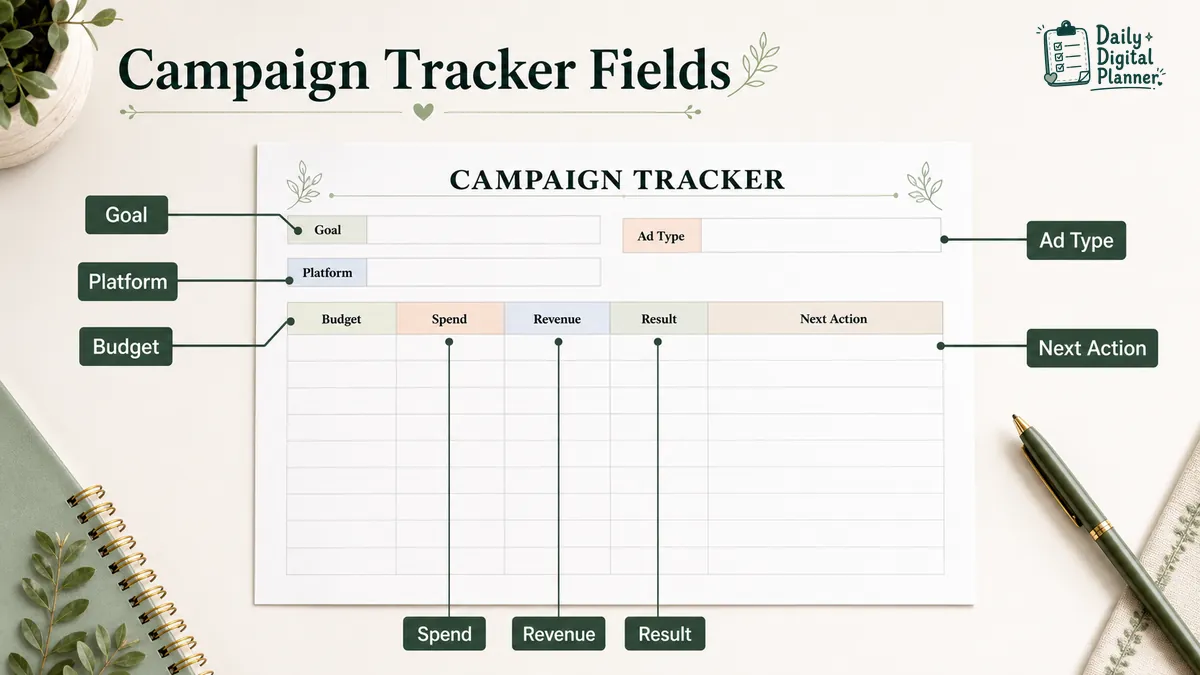
A marketing campaign tracker should include the campaign name, goal, audience, offer or message, platform, dates, content or ad type, budget, spend, revenue, results, notes, and next action. Those fields keep planning and review on the same page.
The table below shows the core fields. A printable or fillable campaign tracker does not need every possible metric. It needs the fields that help you plan, compare, and review the campaign without hunting through separate notes.
| Tracker Field | What It Records | Why It Helps |
|---|---|---|
| Campaign name | The campaign, launch, promotion, or ad test | Makes the tracker easy to identify later. |
| Campaign goal | The main outcome you wanted | Keeps the campaign from becoming a loose task list. |
| Audience | The buyer, reader, client, or segment | Keeps the message tied to the people you meant to reach. |
| Offer or message | Product, service, discount, lead magnet, topic, or angle | Shows what the campaign actually promoted. |
| Platform or channel | Email, Meta ads, Google ads, Pinterest, blog, social media, local promotion, or other channel | Shows where the campaign ran. |
| Content or ad type | Post, email, ad, landing page, video, flyer, launch note, or promotion page | Separates the asset from the platform. |
| Start and end date | Campaign window, launch date, deadline, or review date | Helps build a campaign calendar. |
| Budget | Planned spend or cost limit | Keeps the planned cost visible. |
| Spend | Actual amount spent | Shows whether the campaign stayed near the plan. |
| Revenue or result value | Revenue, leads, inquiries, orders, signups, bookings, traffic, or other result | Gives the review a real outcome to inspect. |
| Result notes | What worked, what missed, what changed | Captures learning that numbers alone may not explain. |
| Next action | Repeat, revise, stop, test again, follow up, or move to daily work | Turns the review into a usable next step. |
Budget and revenue fields are useful as tracking fields, not as financial advice. If you need accounting, tax, paid media, or business strategy guidance, use the right professional tool or expert source. A PDF campaign tracker is for organizing campaign records and decisions.
How Do You Use a Campaign Tracker From Planning to Review?
A campaign tracker follows a campaign from the first goal to the final review by recording the plan, campaign dates, active work, results, and next action. The tracker is most useful when you update it at each stage instead of rebuilding the campaign from memory afterward.
Use the page in a simple sequence:
| Stage | What to write in the tracker | What to decide next |
|---|---|---|
| Set the goal | Campaign purpose, audience, offer, and main result to watch | What is this campaign trying to do? |
| Choose the platform | Email, social, ads, blog, local promotion, or content channel | Where will the campaign run? |
| Plan the campaign assets | Posts, ads, emails, landing page, product page, or follow-up notes | What needs to be created or prepared? |
| Set the dates | Start date, end date, launch date, and review date | When does each step happen? |
| Record the budget | Planned budget or cost limit | How much are you willing to spend? |
| Track the campaign | Spend, revenue, leads, clicks, orders, bookings, or other result | What happened while it ran? |
| Review the result | What worked, what did not, what surprised you | What should be repeated, changed, or stopped? |
| Write the next action | Follow-up task, retest, content update, or daily work item | What needs to happen after the review? |
A campaign calendar helps place the work on dates. A campaign tracker helps record what happened on those dates. When the review creates follow-up tasks, move the next action into a daily work planner so the campaign does not stay trapped on a review page.
If the campaign belongs to a larger project, keep the campaign notes attached to the wider project plan. A project planner PDF is better for milestones, deliverables, and broader task structure.
What Is the Difference Between a Campaign Tracker, Campaign Planner, and Campaign Calendar?
A campaign tracker records campaign activity and results, a campaign planner outlines goals and tasks, and a campaign calendar places campaign work on dates. The three tools overlap, but they answer different questions.
| Tool | Main question it answers | Best use |
|---|---|---|
| Campaign tracker | What ran, where did it run, what did it cost, and what happened? | Recording platforms, spend, revenue, results, notes, and next action. |
| Campaign planner | What are we trying to do, who is it for, and what needs to be prepared? | Planning goals, audience, message, offer, assets, and tasks. |
| Campaign calendar | When will each campaign step happen? | Scheduling launch dates, content dates, email dates, ad dates, and review dates. |
For a simple campaign, one PDF page can hold all three views. You can write the goal and tasks near the top, put dates beside the campaign steps, and reserve a section for spend, revenue, result notes, and next action.
For a larger launch, split the work. Use a planner page for strategy and tasks, a calendar for dates, and a tracker page for results. That keeps the tracker clean enough to review later.
Should You Use a PDF Campaign Tracker, Spreadsheet, Notion Template, or Campaign Management Software?
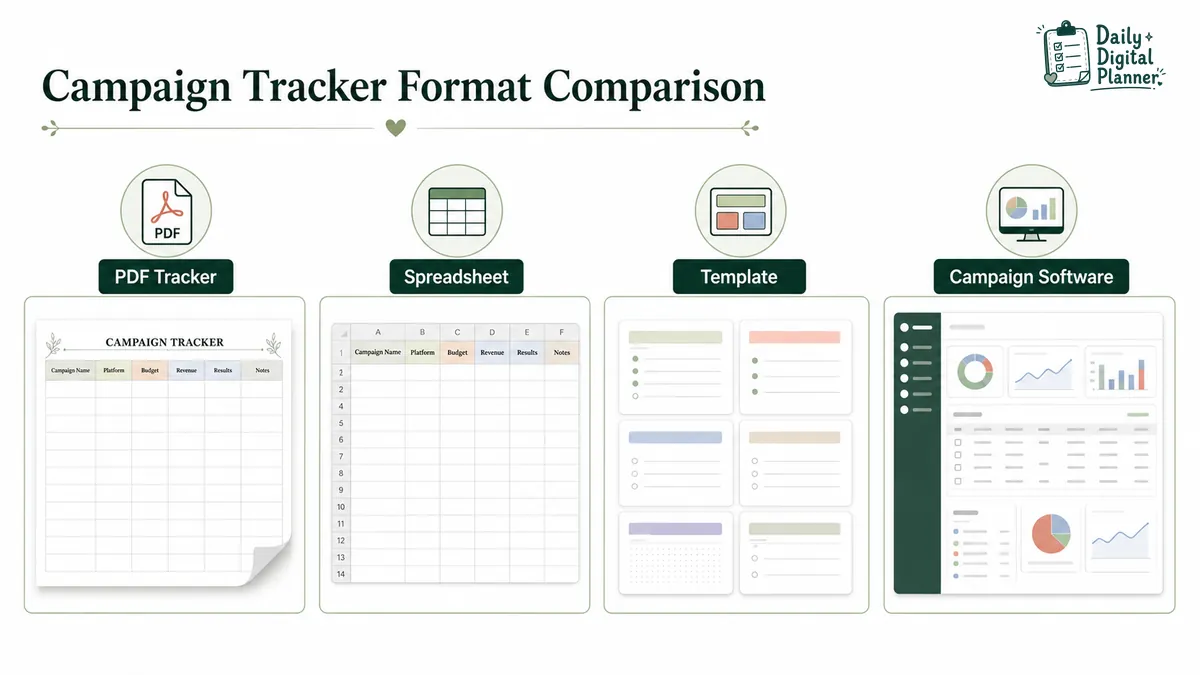
Use a PDF campaign tracker for lightweight solo tracking, and use a spreadsheet, Notion template, or campaign management software when you need formulas, databases, automation, collaboration, or dashboards. The best format depends on how much structure the campaign needs.
Search results for campaign tracker templates often show software tools, spreadsheets, Notion templates, and free template libraries. That does not mean every small campaign needs a software system. It means users are comparing formats.
| Format | Best for | Watch for |
|---|---|---|
| Printable PDF campaign tracker | Writing campaign notes, dates, budget, and results by hand | Test print settings before printing several copies. |
| Fillable PDF campaign tracker | Typing into supported fields, saving a copy, and printing if needed | Confirm the selected PDF is fillable before expecting typed fields. |
| Spreadsheet | Tracking rows of campaigns, formulas, sortable columns, and numeric comparisons | Better for data-heavy tracking than page-based review. |
| Notion template | Building a flexible database for campaign assets, statuses, and notes | Setup can become part of the work if you only need one tracker page. |
| Campaign management software | Team assignments, approvals, automations, shared dashboards, and campaign pipelines | Useful for teams, but heavier than a printable or fillable PDF workflow. |
A printable PDF campaign tracker is enough when one person owns the campaign and needs a stable page for planning and review. A fillable PDF campaign tracker is useful when you want to type the campaign details, save a copy, and keep a printable backup.
If you want to use a paper copy, follow the guide on how to print a printable planner PDF before printing a full set. If you want to type into supported fields first, the guide on how to use a fillable PDF planner explains the basic type-save-print workflow.
Use software when the campaign has many people, approval stages, automation rules, reporting dashboards, or shared client visibility. A PDF planner is not trying to replace that.
What Campaign Results Should Small Business Owners Track?
Small business owners should track campaign spend, revenue, leads or inquiries, conversions, traffic, engagement, platform, ad type, result notes, and next action. The goal is not to collect every number; the goal is to keep the result visible enough to make a better follow-up decision.
Use the fields below as a practical review list. Pick the ones that match the campaign.
| Result Field | What to Record | When It Helps |
|---|---|---|
| Spend | Actual campaign cost or ad spend | When the campaign has a budget. |
| Revenue | Sales or order value connected to the campaign | When the campaign has a direct product or service offer. |
| Leads or inquiries | Form fills, messages, calls, bookings, or new prospects | When the campaign is meant to create conversations. |
| Conversions | The action you wanted, such as signup, checkout, booking, or download | When the campaign has a clear action. |
| Traffic | Visits to a product page, blog post, landing page, or shop page | When the campaign sends people to a page. |
| Engagement | Saves, comments, shares, replies, or clicks | When the campaign runs through content or social posts. |
| Platform | Where the campaign ran | When you compare channels later. |
| Ad or content type | Email, ad, short video, blog post, pin, reel, landing page, or flyer | When you compare creative formats. |
| Result notes | What worked, what did not, what changed, or what you would test next | When the number needs explanation. |
Campaign tracking should stay honest. A tracker can help you record what happened, but it cannot prove why a campaign worked unless the campaign was set up to measure that carefully. For many small businesses, the useful habit is simpler: write down the campaign, the channel, the cost, the result, and the next action while the details are still fresh.
Campaign tracking often sits beside client work, daily tasks, and business planning. If you need planning pages for several parts of a small business workflow, the guide to digital planners for small business owners can help connect campaign notes with project, client, and daily work planning.
When Is a Printable or Fillable PDF Campaign Tracker Enough?
A printable or fillable PDF campaign tracker is enough when the campaign is simple, the workflow is owned by one person or a small team, and the main need is planning, recording, and reviewing. It is not enough when the campaign requires live collaboration, automation, advanced reporting, or shared approvals.
A PDF campaign tracker can work well for:
- A solo marketer tracking one promotion at a time.
- A freelancer recording campaign notes for a client.
- A content creator tracking launch posts, emails, and result notes.
- A small business owner comparing a few paid or organic channels.
- A service provider keeping campaign ideas beside project and client notes.
A PDF tracker is less suitable when:
- Several people need to update campaign status at the same time.
- Managers need live dashboards or approval workflows.
- Campaign data must sync from ad platforms automatically.
- The business needs detailed reporting, formulas, or cross-channel attribution.
- Client teams need shared permissions, comments, and file storage.
This boundary matters because it builds a better buying decision. A PDF planner should feel useful because it is simple, printable, fillable, and easy to review. It should not pretend to be a campaign management platform.
Browse Campaign Tracker and Business Planner PDFs
Browse campaign tracker and business planner PDFs when you want a ready-made printable or fillable page for campaign notes, ad spend, platforms, revenue, results, and follow-up. Daily Digital Planner’s product path is strongest when the reader wants a downloadable PDF tracker rather than a software subscription.
The Campaign Tracker and Ads Manager Planner is the main product bridge for this article. Check the product screenshots and details before buying so you can confirm the current file type, included pages, page size, printable support, fillable support, instructions, and download access.
The broader Business Planner category can also help when campaign tracking sits beside project notes, launch planning, decisions, goals, and business overview pages.
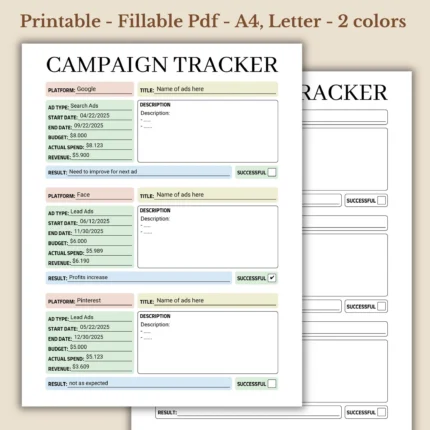
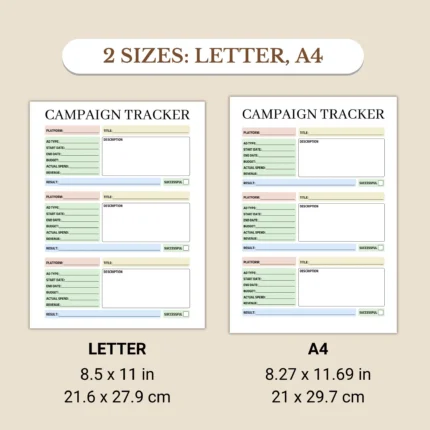
Before buying a campaign tracker planner, check:
- File type and whether the planner is printable, fillable, or both.
- Product screenshots and preview images.
- Included pages or templates.
- Page size and printing notes.
- Whether fillable fields are supported.
- Instructions for use.
- Current price and download access.
If download access is a concern, the How to Buy page explains the digital delivery path after checkout. For WooCommerce digital products, download links are normally sent after purchase, and customers can also find downloadable files in the website account/downloads area when logged in.
Common Campaign Tracker Planner Questions
Is this campaign tracker planner for D&D campaigns?
No, this campaign tracker planner guide is for marketing, ads, content, launches, promotions, and business campaigns. D&D campaign trackers are a different search intent and need different fields, such as sessions, characters, quests, and story notes.
Can I use a PDF campaign tracker for ads?
Yes, you can use a PDF campaign tracker for ads when you need to record platform, ad type, budget, spend, revenue, results, and notes manually. Use ad-platform software or reports when you need live data, attribution, automation, or detailed analytics.
Is a campaign tracker the same as a campaign calendar?
No, a campaign tracker records campaign activity and results, while a campaign calendar places campaign work on dates. A simple planner page can include both, but the tracker and calendar answer different questions.
Can I print or type into a campaign tracker PDF?
Yes, you can print a printable campaign tracker PDF, and you can type into a fillable campaign tracker PDF when the file includes supported fillable fields. Always check the product details because not every PDF planner has the same format.
Should I use a free template or a paid campaign tracker planner?
Use a free template when you only need a quick test page, and use a paid campaign tracker planner when the screenshots, file type, page size, fillable support, and included pages fit your workflow. The better choice is the one you will actually review after the campaign ends.
When should I use campaign management software instead of a PDF tracker?
Use campaign management software when the campaign needs team collaboration, automation, approvals, dashboards, or detailed reporting. Use a PDF tracker when the campaign is lightweight and the main need is a simple planning and review page.