
Blog
Digital Planner Benefits for Work, Home, and Daily Routines

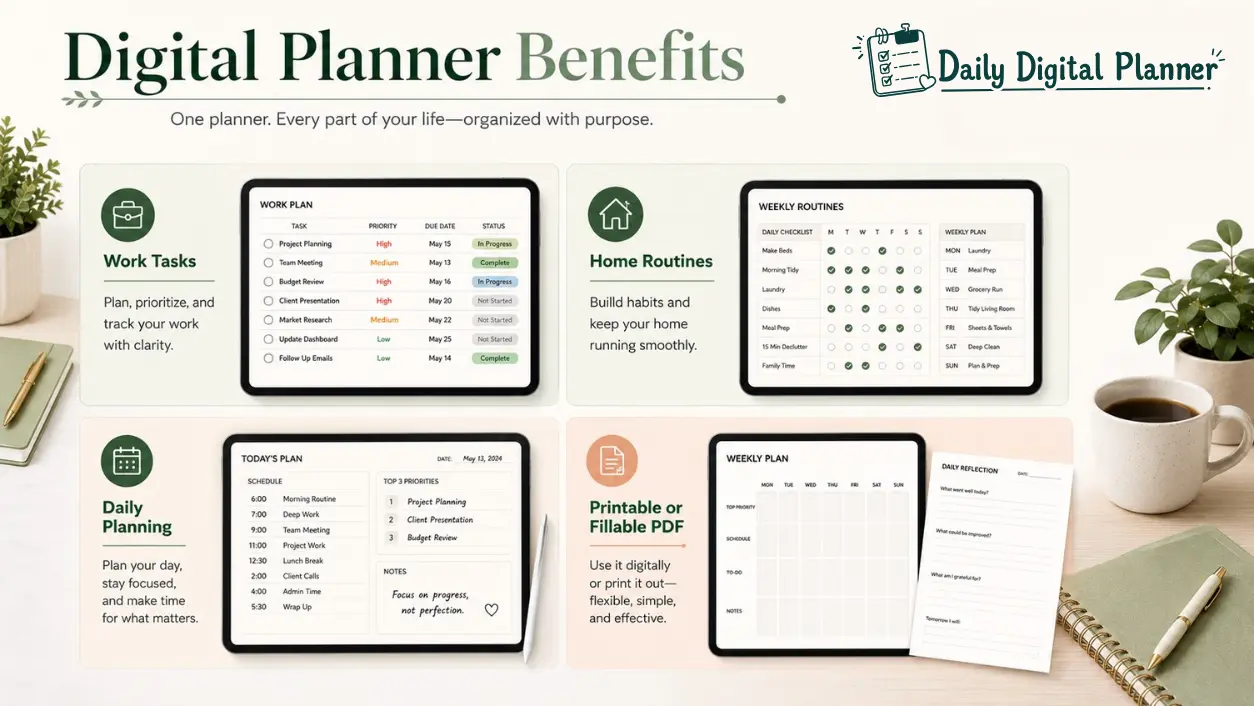
The main benefits of a digital planner are reusable planning pages, flexible print-or-fill workflows, easier daily organization, and one downloadable file that can support work tasks, home routines, and recurring plans. In Daily Digital Planner’s context, these benefits come from simple PDF planner templates rather than from a complex productivity app.
That distinction matters. A digital planner can be used on a device, printed for paper planning, typed into when the PDF includes fillable fields, or combined with other templates in a bundle. The benefit comes from matching the planner format to the way you actually plan.
This guide explains the practical benefits of digital planner templates for work, home, daily routines, printable PDFs, fillable PDF planners, and planner bundles. If you want to browse the broader format hub first, start with digital planner templates. If you need the basic definition before comparing benefits, read what is a digital planner.
Digital Planner Benefits: Quick Answer
Digital planner benefits include reusable templates, printable or fillable PDF workflows, daily structure, work task organization, home routine visibility, bundle flexibility, and simple low-friction layouts.
For Daily Digital Planner, these benefits come from downloadable PDF planner templates, not from a complex planning app. A digital planner can help most when it gives you a ready page structure for the planning job you repeat often.
The most practical benefits are:
- Reusable planning templates for repeated tasks, weeks, routines, or projects.
- Printable digital planner pages when you want to write by hand.
- Fillable digital planner fields when the PDF supports typing and saving.
- Daily digital planner layouts for tasks, schedules, priorities, and reminders.
- Work planner pages for priorities, meetings, projects, and follow-up.
- Home planner pages for routines, meals, habits, chores, and life admin.
- Digital planner bundles when one workflow needs several related templates.
The useful question is not “Are digital planners better?” The useful question is “Which digital planner benefit matches this workflow?”
Why Use a Digital Planner?
Use a digital planner when you want repeatable planning pages that can be downloaded, saved, reused, printed, typed into, or opened on a device.
A digital planner reduces setup because the layout already exists. Instead of recreating a daily page, work checklist, weekly view, meal plan, or habit tracker from scratch, you start from a prepared planner template. That is useful for people who like structure but do not want to design a system every time they sit down to plan.
Digital planners are also useful when similar planning tasks need the same format. A teacher may want weekly classroom planning pages. A small business owner may want project notes and client follow-up. A homemaker may want recurring routines and meal planning. A professional may want daily priorities, meetings, and end-of-day review in one repeatable structure.
The benefit is strongest when the planner stays simple. A clean digital planner template can make the next action visible without turning the page into a full software system. That is why a downloadable PDF planner can fit people who want a low-friction planning tool rather than an app with notifications, automations, or a steep setup process.
Benefits of Digital Planner Templates by Format
Digital planner template benefits depend on whether the planner is a PDF, printable file, fillable PDF, bundle, or simple minimalist layout.
The same product label can hide different workflows, so check the product details before buying. A planner may be printable, fillable, app-friendly, or bundled, but those features depend on the file design and instructions.
| Digital planner format | Main benefit | Best for | What to check | Related page |
|---|---|---|---|---|
| Digital planner PDF | Stable downloadable page layout | Users who want a planner file that can be saved, opened, printed, or filled when supported | File type, instructions, included pages, reader guidance | PDF planner |
| Printable digital planner | Print only the pages you need | Paper planning, binders, classroom pages, desk planning, home command centers | Paper size, margins, ink use, print instructions | digital planner vs printable planner |
| Fillable digital planner | Type into supported fields before saving or printing | Work notes, clean task lists, typed schedules, reusable records | Fillable fields, checkboxes, save support, compatible PDF reader | fillable PDF planners |
| Digital planner bundle | Use several related templates together | Work plus home planning, daily plus weekly planning, larger routines | Included files, categories, sizes, instructions, license terms | digital planner bundles |
| Simple digital planner | Reduce setup friction and visual clutter | Daily use, low-friction planning, repeatable routines | Page density, label clarity, layout style, needed sections | digital planner templates |
The pattern is simple: the format creates the benefit. If the benefit you want is handwriting, check printable support. If the benefit you want is typing, check fillable fields. If the benefit you want is using several pages together, check bundle contents.
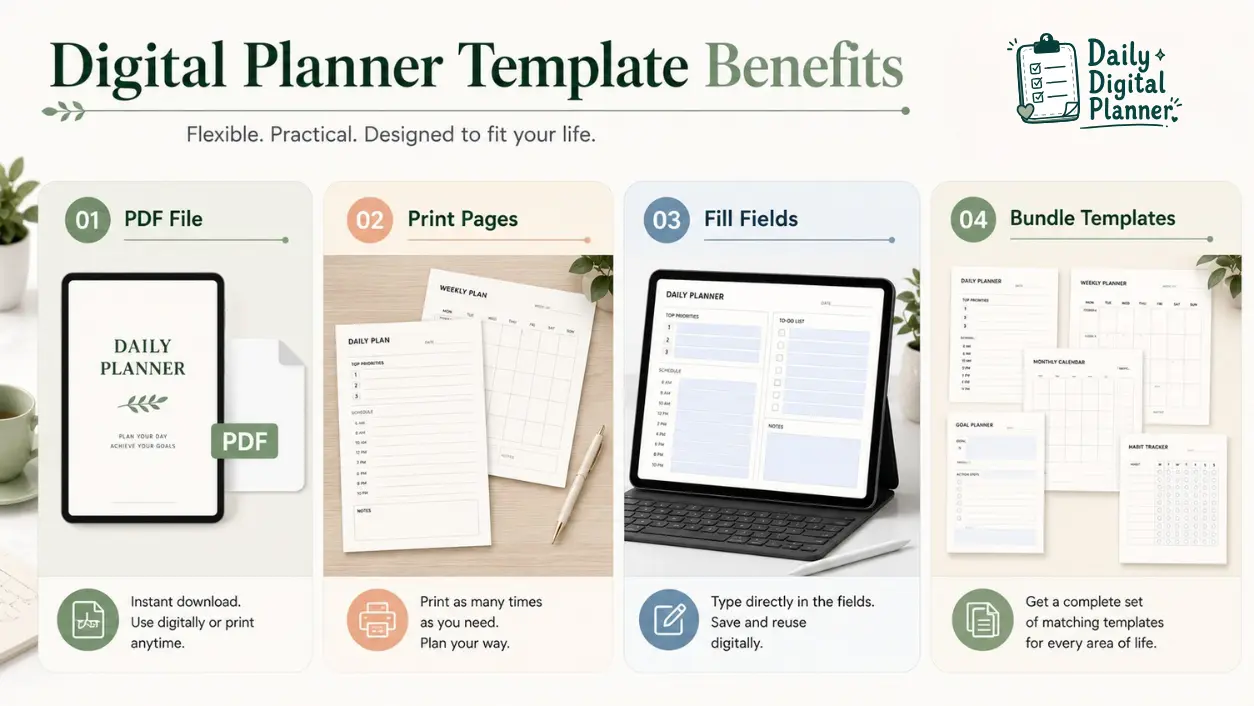
Labels: PDF File; Print Pages; Fill Fields; Bundle Templates
PDF Planner Benefits
A PDF planner keeps a stable page layout that can be saved, opened, printed, or filled depending on the file design.
The PDF format is useful because it preserves the planner page structure. A daily page, weekly view, task list, project planner, or meal planner can keep the same visual layout when opened on a computer, tablet, or printer workflow. That makes a digital planner PDF a good bridge between screen use and paper use.
The important condition is support. A PDF planner is not automatically fillable, printable, or app-specific. Check the PDF planner guide and the product details before assuming how the file works.
Printable Digital Planner Benefits
Printable digital planners let users print only the pages they need and write by hand.
This benefit fits people who like paper planning but do not want to buy a new bound planner for every format. A printable digital planner can become a desk page, binder insert, classroom sheet, weekly routine page, or home planning page when the file is designed for printing.
Printability is still a product-level detail. Before buying, check whether the product lists a paper size such as US Letter or A4, whether the layout is ink-friendly enough for your printer, and whether the instructions explain print settings.
Fillable Digital Planner Benefits
Fillable digital planners let users type into supported PDF fields before saving or printing.
This benefit is practical for work notes, client follow-up, typed schedules, clean task lists, and reusable planning forms. A fillable PDF planner can reduce messy rewriting because typed entries can be edited more cleanly than handwriting on a printed page.
The key word is supported. A planner PDF needs built-in fillable fields, or the user needs a compatible annotation workflow. If typing is the main benefit you want, compare fillable PDF planners before choosing a product.
Digital Planner Bundle Benefits
Digital planner bundles help when one workflow needs several related templates instead of one page layout.
A bundle can connect daily planning, weekly planning, project tracking, business planning, home routines, meals, habits, or work-life organization. That can be easier than buying one planner for tasks, another for meals, and another for routines.
Bundles are most useful when the included pages match a real planning system. Check the included files, the categories, the sizes, and the instructions. If you need several related layouts, browse digital planner bundles and compare the contents before choosing.
Digital Planner Benefits for Work
Digital planners can organize work tasks, priorities, meetings, projects, and focus blocks in repeatable pages.
For work, the biggest benefit is consistent capture. A digital work planner can give you a dedicated place for tasks, priority sorting, meeting notes, project updates, deadlines, and follow-up. That is useful when your workday produces loose information that needs a home.
Work benefits usually fall into a few practical jobs:
| Work planning job | Digital planner benefit | Useful planner format |
|---|---|---|
| Task capture | Keeps work items in one repeated page structure | Daily planner, work planner, productivity planner |
| Priority sorting | Helps separate urgent tasks, important tasks, and later tasks | Priority matrix, daily work page |
| Meeting notes | Gives repeated fields for agenda, notes, action items, and follow-up | Meeting planner, project planner |
| Project tracking | Keeps milestones, next actions, and owners visible | Project planner, business planner |
| Focus sessions | Gives a simple block for timed work or focused task batches | Pomodoro planner, focus planner |
| Client or business follow-up | Keeps campaign notes, client details, or outreach tasks together | Business planner, campaign tracker |
The planner does not guarantee focus or output. It helps when the work page matches the planning job and you actually return to it during the day.
If your work planning is mostly tasks, priorities, and focus blocks, productivity planner PDFs are the closest product category. If your work planning includes campaigns, clients, projects, or small business admin, compare business planner PDFs.
Digital Planner Benefits for Home and Life Routines
Digital planners can make recurring home routines easier to see, repeat, and adjust.
Home planning usually repeats. Meals, groceries, chores, appointments, habits, weekly resets, family tasks, and personal admin often come back in a similar pattern. A digital planner can help because the same routine page can be reused instead of rebuilt.
For home and life routines, the practical benefits include:
- Routine visibility: recurring tasks are easier to review when they are written in one place.
- Meal and grocery planning: a meal planner can keep weekly meals and shopping needs together when the product supports that workflow.
- Habit tracking: a habit tracker can support repeated routine tracking without making medical or wellness claims.
- Household organization: chores, errands, and admin tasks can move out of memory and onto a visible page.
- Work-life transitions: a work-life balance planner can help separate work tasks from home routines when the layout supports both.
If home routines are the main use case, compare work-life balance planner PDFs, habit tracker PDFs, and meal planner PDFs. Choose by the routine you repeat most often, not by the broadest planner name.
Digital Planner Benefits for Daily Planning
A daily digital planner helps when the same daily structure needs to be reused, filled, printed, or reviewed.
Daily planning is where digital planner templates often feel most practical. A daily page can give the day a consistent shape: schedule blocks, top priorities, task lists, reminders, notes, meal notes, habit checkboxes, or an end-of-day review when the template includes those sections.
A daily digital planner is useful when you want:
- A repeatable daily page for tasks and time blocks.
- A simple priority section before the day fills up.
- A checklist for errands, calls, emails, or admin.
- A printable page for handwriting at a desk.
- A fillable page for typed entries when the PDF supports it.
- A review area for notes, wins, blockers, or tomorrow’s next step.
This benefit is strongest when the page is simple enough to use daily. A crowded layout can create more setup friction than it solves. A clean daily digital planner should make the day easier to scan, not harder to start.
If you want a starting point for daily tasks, schedules, and priorities, browse daily digital planner templates.
Digital Planner vs Paper Planner Benefits
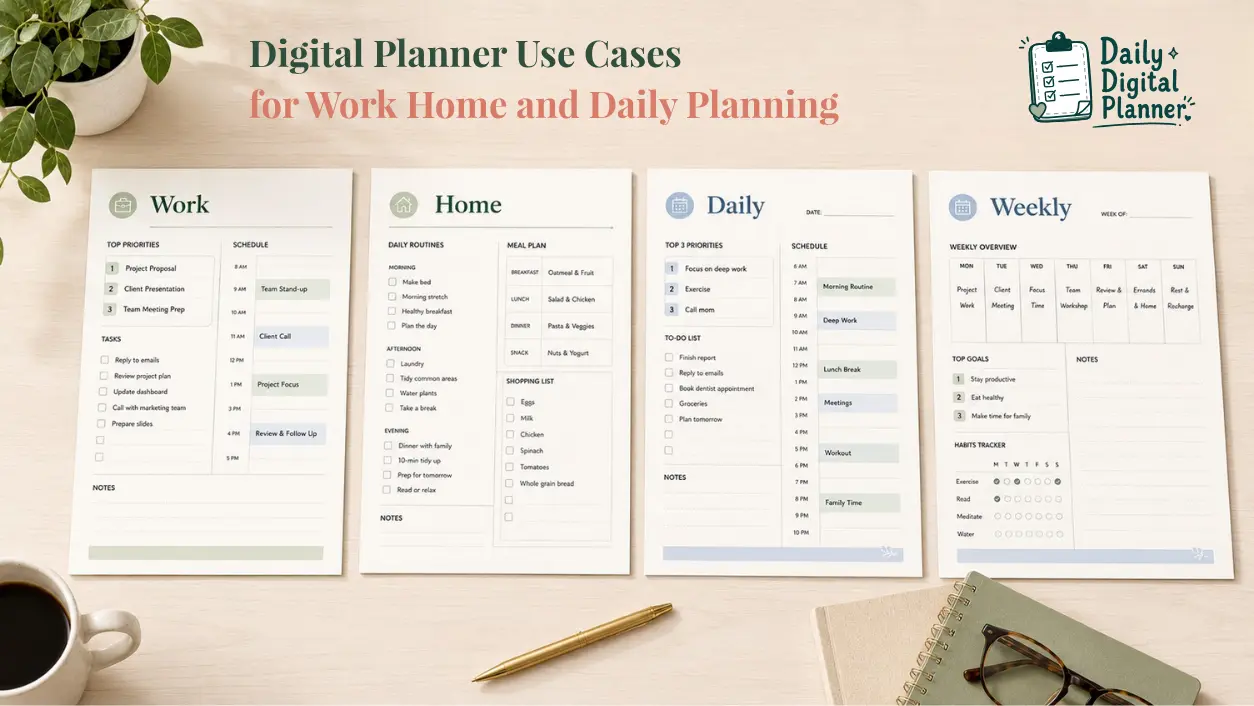
Neither digital nor paper is universally better; digital planners are better for reusable files and flexible workflows, while paper planners are better for fully offline tactile writing.
The comparison depends on the planning action. A digital planner may be a better fit if you want to download a file, save a blank copy, print selected pages, type into supported fields, or keep several templates together. A paper planner may be a better fit if you want a bound notebook, no device, no printer setup, and a fully tactile writing experience.
| Comparison point | Digital planner benefit | Paper planner benefit |
|---|---|---|
| Reuse | Save a blank file and reuse copies when the product terms allow it | Use the pages already printed in the notebook |
| Flexibility | Print, fill, or open the planner depending on file support | Write immediately without file setup |
| Portability | Store planner files on a device or print selected pages | Carry one physical planner without apps or files |
| Handwriting | Print pages or annotate in a compatible app | Handwrite directly with no device or printer |
| Editing | Typed entries may be easier to revise when fields are supported | Cross out, rewrite, or use sticky notes |
| Setup | Requires download, file storage, and basic PDF comfort | Requires choosing and carrying the physical planner |
| Best fit | Repeated workflows, printable pages, fillable forms, bundles | Fully offline use, tactile writing, simple notebook habits |
If you are deciding between screen-first and paper-first planning, read the full digital planner vs printable planner guide. This section gives the short version: choose by workflow, not by format loyalty.
Are Digital Planners Worth It?
A digital planner is worth it if you will reuse the template, use the PDF workflow, and choose a product that matches your print, fill, device, or bundle needs.
It is not worth it for every user. If you want a shipped physical planner, a fully automated planning app, or only a free resource, a paid downloadable planner template may not match the job. If you want a clear PDF planner file that you can save, print, fill when supported, or combine with other templates, the format can be practical.
Use this decision checklist:
| Question | If yes, a digital planner may fit | What to verify |
|---|---|---|
| Will you reuse the same planning page? | Reusable templates can save setup time | License terms and included pages |
| Do you want to print or type? | Printable or fillable PDFs can support different workflows | Print support, fillable fields, PDF reader guidance |
| Do you need one template or several? | Bundles can connect daily, work, home, and weekly pages | Bundle contents and file list |
| Do you prefer daily, weekly, work, or home planning? | Use-case categories make the purchase more specific | Category and product details |
| Do you need US Letter, A4, or another size? | Correct sizing can prevent poor print results | Paper size and print instructions |
| Do you understand it is a digital download? | Downloadable products can be used quickly after purchase | Purchase, download, and access steps |
Daily Digital Planner products are digital downloads, so it is important to understand the purchase and download flow before buying. The how digital planner downloads work page explains the basic process.
If you need several related templates, compare digital planner bundles. A bundle is often useful when your planning system includes daily tasks, weekly review, work projects, and home routines rather than one single page.
What to Check Before Choosing a Digital Planner
Before choosing a digital planner, verify the file type, printable support, fillable fields, paper size, app guidance, included templates, license terms, and digital download instructions.
This checklist prevents the most common wrong-format purchase: buying a planner because the design looks good, then discovering it does not support the workflow you wanted.
| Check before buying | Why it matters | Safe question to ask |
|---|---|---|
| File type | PDF, ZIP, and instruction files can behave differently | What exactly do I download after purchase? |
| Printable support | Not every digital planner is designed for home printing | Does the product say it is printable? |
| Fillable fields | Not every PDF includes typed-entry fields | Can I type into supported fields and save? |
| Paper size | US Letter, A4, and other sizes affect printing | Which paper sizes are included or supported? |
| App or PDF reader guidance | Device workflows depend on file and app support | What reader or app does the product recommend? |
| Included templates | Bundles and single planners solve different jobs | Which pages, categories, or templates are included? |
| License terms | Reuse depends on product terms | Is this for personal use, commercial use, or another license? |
| Digital download notice | Digital products are not shipped physically | Do I understand the download and access steps? |
If any of these details are missing or unclear, use the support and buying information before checking out. Start with how digital planner downloads work if you are new to digital planner purchases.
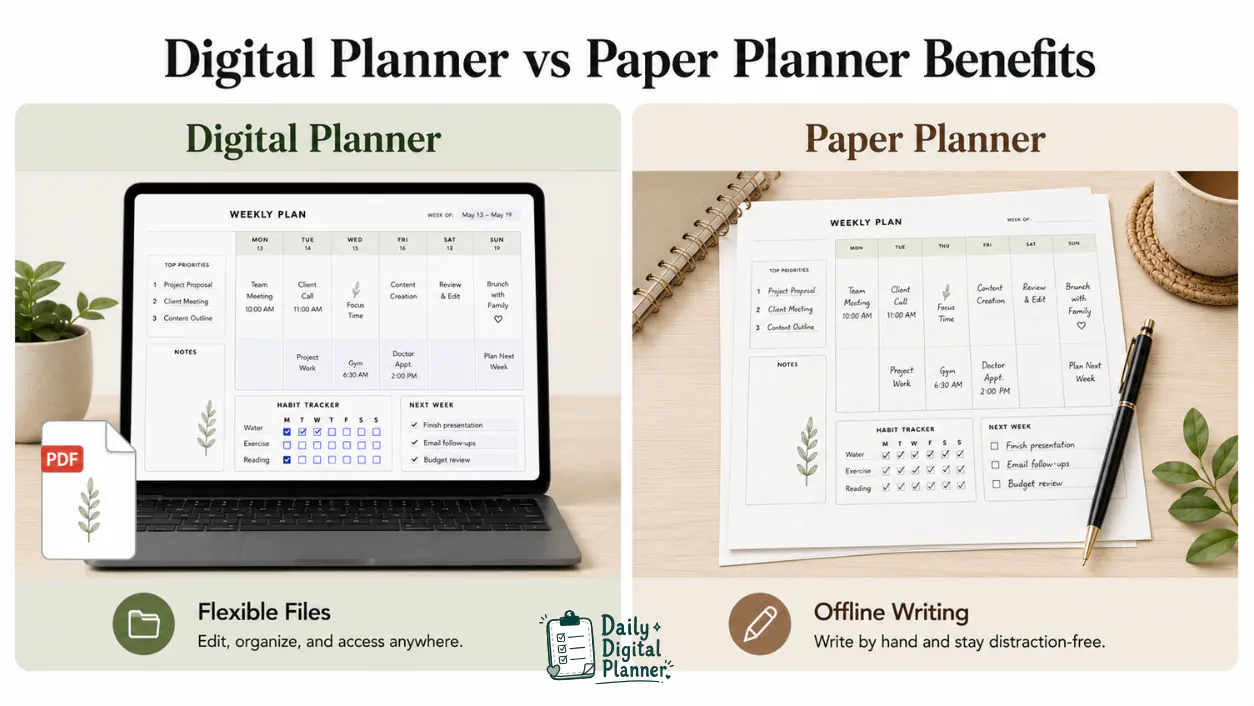
Final Recommendation: Choose the Benefit That Matches Your Workflow
Choose a digital planner by the planning job first: daily, work, home, printable, fillable, or bundle.
If your main need is everyday structure, start with daily digital planner templates. If your main need is typing into fields, compare fillable PDF planners. If your main need is several related templates, browse digital planner bundles.
If you are still deciding whether this format is right, start with the central digital planner templates hub and then use the digital planner vs printable planner guide for the format decision.
The best digital planner benefit is not a universal promise. It is the specific match between a planner page, a file format, and the routine you want to repeat.
FAQ About Digital Planner Benefits
What are the benefits of using a digital planner?
The main benefits of using a digital planner are reusable templates, flexible print or fill workflows, daily structure, work organization, home routine visibility, and bundle flexibility.
These benefits depend on the product design. A PDF planner can be printable, fillable, app-friendly, or bundled, but the product details should confirm which workflow is supported.
Are digital planners worth it?
Digital planners are worth it when you will reuse the template and the file format matches how you plan.
They are not worth it if you want a shipped physical planner, app automation, or only a free resource. Check file type, printability, fillable fields, paper size, and download instructions before buying.
Is a digital planner better than a paper planner?
A digital planner is better for reusable downloadable files and flexible print-or-fill workflows, while a paper planner is better for fully offline tactile writing.
Neither format wins in every situation. If you want a deeper comparison, use the digital planner vs printable planner guide before choosing.
Do digital planners help ADHD?
A digital planner can support ADHD-friendly routines when the layout is simple, visible, and repeatable, but it should not be presented as clinical help.
For ADHD and productivity users, the safer benefit is low-friction structure. A clean page can make tasks, routines, and priorities easier to see, but it is not medical advice or a promise of productivity improvement.
Are free digital planners enough?
Free digital planners can be enough for testing a layout, but they may not include the exact format, fields, instructions, support, or bundle depth you need.
Before using any free or paid planner, check the file type, license, print support, fillable fields, and whether the layout fits your real workflow.
Do you need GoodNotes or an iPad to get digital planner benefits?
No, you do not always need GoodNotes or an iPad to get digital planner benefits.
For printable PDF workflows, a printer may matter more than a tablet. For fillable PDF workflows, a compatible PDF reader matters. GoodNotes, iPad, and similar tools are optional environments for users who want tablet annotation, and compatibility depends on the file and app.
What is the point of a digital planner?
The point of a digital planner is to give you a reusable planning structure in a downloadable file.
That structure can support daily pages, work tasks, home routines, weekly planning, printable pages, fillable fields, or bundles depending on the planner design.
What are the 5 benefits of planning?
Five practical benefits of planning are clearer priorities, visible tasks, repeated routines, better preparation, and easier review.
A digital planner supports those benefits when the template gives you a simple place to write, type, print, save, or revisit the plan.