
Blog
What Is an Undated Digital Planner?

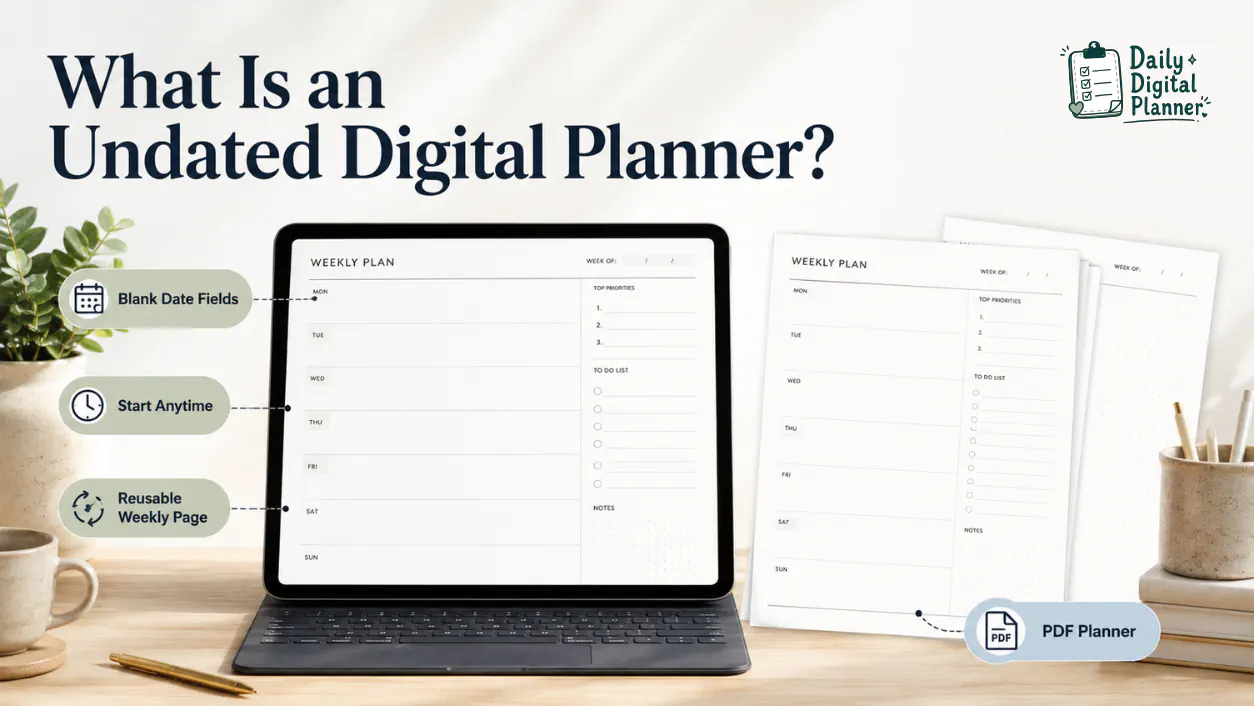
An undated digital planner is a digital or PDF planner with blank date fields, so you can start anytime and reuse the same planner structure across different weeks, months, or planning cycles.
In a Daily Digital Planner context, an undated planner usually belongs inside the broader family of digital planner PDF templates. It may be printable, fillable, app-friendly, or part of a planner bundle depending on the product details. The important point is the date structure: the planner is not locked to one pre-filled calendar year.
That makes an undated digital planner useful when you want flexible planning without wasted dated pages. It also means you should check the product page before buying, because "undated" does not automatically mean every page is fillable, printable, hyperlinked, or compatible with every app.
What does an undated digital planner mean?
Undated means the planner layout leaves the date fields blank instead of assigning each page to a fixed calendar date.
An undated digital planner can still have daily pages, weekly pages, monthly overview pages, habit pages, notes pages, or project pages. The difference is that the user adds the day, week, month, or year manually. If you need the broader format definition first, start with what a digital planner is before comparing dated and undated planner structures.
The core parts are simple:
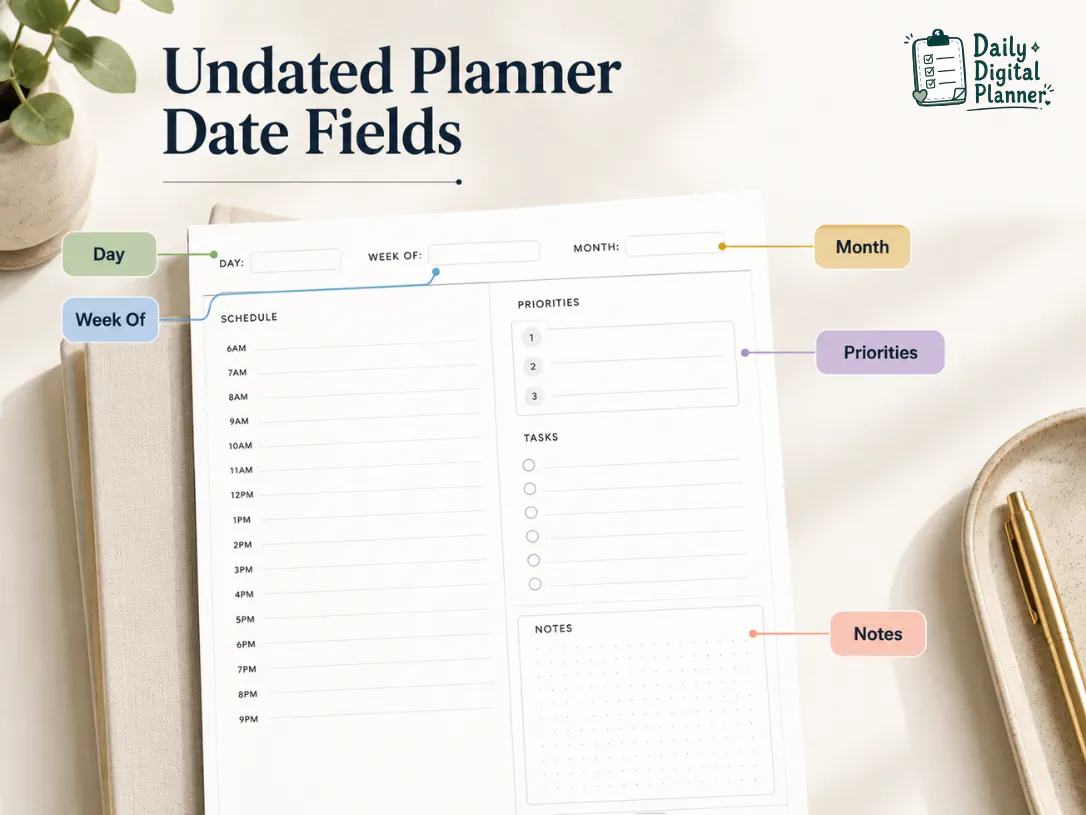
- Date fields: blank areas where you add the day, week, month, or year.
- Planner pages: reusable layouts for daily tasks, weekly priorities, routines, notes, or projects.
- PDF format: a downloadable file that may be printed, opened in a PDF reader, or used in a compatible annotation app.
- Reuse condition: the planner can be reused when the file workflow and product terms allow personal reuse.
- Product details: the product page should confirm whether the planner is printable, fillable, app-friendly, or included in a bundle.
An undated planner is not automatically better than a dated planner. It solves a different problem: flexible start dates and repeatable planning.
How does an undated digital planner work?
An undated digital planner works by giving you reusable planner pages where you add the current dates yourself before planning.
Most undated planner workflows follow the same basic sequence. The exact steps depend on the file type and the product instructions, but the mechanism is consistent: open the planner, add dates, use the page, and save or print according to the product format. If you want the file-format background, the PDF planner guide explains how printable, fillable, and digital PDF planner templates fit together.
- Download or open the planner file in the tool the product supports.
- Choose the daily, weekly, monthly, or notes page you want to use.
- Add the date, week, month, or planning period to the blank date field.
- Fill in tasks, appointments, routines, priorities, meals, habits, or notes.
- Save a working copy, print the page, or duplicate the page if the product workflow supports it.
- Start the next planning period by using a clean blank-dated page again.
This workflow is why undated planner PDFs are often useful for people who skip weeks, start planning mid-year, or use the same weekly layout for repeated routines.
What is the difference between a dated and undated digital planner?
A dated digital planner has fixed calendar dates, while an undated digital planner leaves the dates blank so you can start whenever you need.
The main comparison is date structure. A dated planner gives you a ready-made calendar. An undated planner gives you a reusable template that you date yourself.
| Feature | Dated Digital Planner | Undated Digital Planner |
|---|---|---|
| Date structure | Pages already contain specific calendar dates. | Date fields are blank or user-filled. |
| Start time | Best when you begin at the start of the planner’s date range. | Best when you want to start any day, week, month, or year. |
| Skipped weeks | Unused dated pages may feel wasted. | Unused blank pages can still be used later. |
| Setup effort | Lower setup because dates are already entered. | Slightly more setup because you add dates yourself. |
| Reuse | Usually tied to one calendar period. | Can support repeated personal use when the file and product terms allow it. |
| Best fit | Users who want a ready calendar and fixed schedule structure. | Users who want flexible planning, recurring routines, or no expired pages. |
A dated planner is often easier when you want the calendar already prepared. An undated planner is often better when flexibility matters more than pre-filled dates.
Can you reuse an undated digital planner?
Yes, you can reuse an undated digital planner when the file and product terms allow personal reuse, because the pages are not locked to one calendar year.
Reuse should be explained carefully. "Undated" means the pages do not expire because of printed calendar dates. It does not automatically mean unlimited redistribution, resale, commercial reuse, or editing rights. The product terms still control how the downloaded file may be used.
You can usually think about reuse in these conditions:
- Personal reuse: the planner can be used again for your own future planning periods when the product terms allow it.
- Clean-copy workflow: the planner is easier to reuse if you keep an original blank copy and save separate working copies.
- Printable workflow: a printable undated PDF can be printed again for personal use when the product terms allow printing.
- Fillable workflow: a fillable undated PDF can be reused cleanly when the file lets you type, save, and clear or copy pages as needed.
- Download access: Daily Digital Planner products are digital downloads, so use the download access after purchase instructions if you need the purchase and file-access workflow.
The safest rule is simple: use the planner personally, keep a clean file copy, and follow the product’s terms of use.
When should you choose an undated digital planner?
Choose an undated digital planner when you want a planner that can start mid-year, skip unused weeks, and support repeatable routines without expired dates.
An undated format is especially useful when your planning rhythm is flexible. It gives you structure without forcing every page into a fixed calendar sequence.
- Mid-year starters: choose an undated planner if you are starting in March, July, October, or any non-January month.
- Inconsistent planners: choose an undated planner if you sometimes skip a week and do not want blank dated pages to feel wasted.
- Recurring routines: choose an undated planner if you use the same weekly, daily, meal, habit, or work routine again and again.
- Project-based users: choose an undated planner if your planning period follows a client project, course, campaign, or home reset instead of a calendar year.
- Printable users: choose an undated planner if you want to print only the pages you need and date them by hand.
- Fillable PDF users: choose an undated planner if you want to type dates and tasks into supported fields before saving or printing.
Choose a dated planner instead when you want the calendar already prepared and you do not want to manually enter dates. If your planning system needs several reusable templates for work, home, routines, or productivity, compare planner bundles before buying one single planner PDF.
What should you check before buying an undated planner PDF?
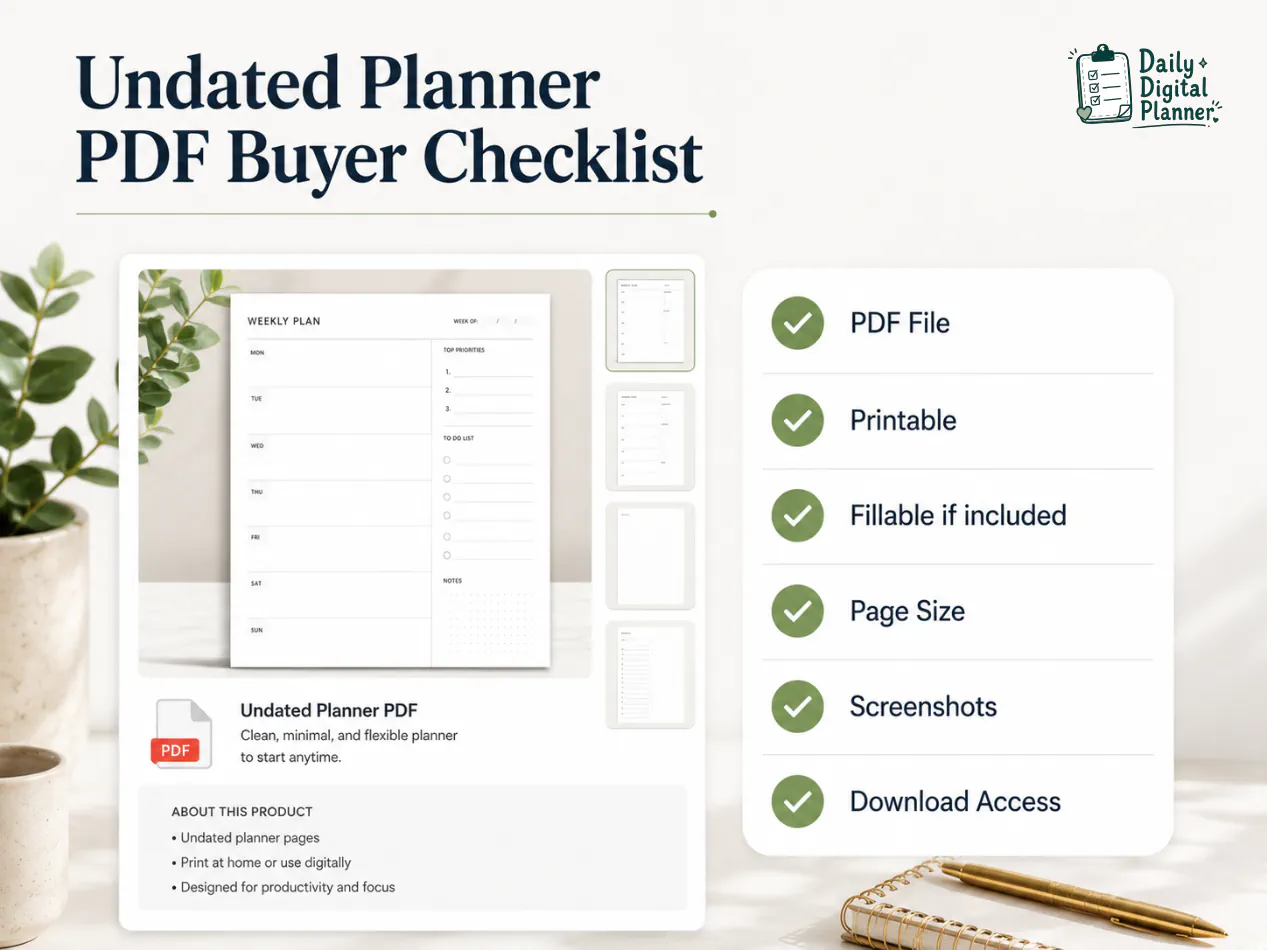
Before buying an undated planner PDF, check whether the product page proves the file type, page size, included templates, printable or fillable support, screenshots, instructions, price, and download access.
The word "undated" tells you about the date structure. It does not tell you everything about the file. A good product page should help you verify how the planner can be used before purchase.
Use this checklist:
- File type: confirm whether the planner is a PDF, ZIP, image file, app file, or another format.
- Date structure: confirm that the planner pages are undated or include blank date fields.
- Included templates: check whether the product includes daily, weekly, monthly, habit, meal, work, notes, or project pages.
- Page size: check whether the planner is designed for US Letter, A4, another print size, or digital-only use.
- Printable support: if you plan to print, compare printable planner PDFs before choosing a product.
- Fillable support: if you want to type dates and tasks before printing, check fillable PDF planners instead of assuming every undated planner is typeable.
- Screenshots: inspect product images so you can see the layout, date fields, sections, and design style.
- Instructions: check whether the product explains how to open, print, fill, save, or use the file.
- Download access: confirm how the file is delivered after purchase.
- Terms of use: confirm personal-use, printing, reuse, and sharing rules.
Daily Digital Planner has weekly planner product examples with “Printable PDF” and “Aesthetic Undated Calendar Template” in the product title. For example, the undated weekly planner PDF example and the undated work week planner PDF show how an undated weekly planning format can appear in a product context. Always verify the current product page before relying on exact inclusions.
Where should you go next if an undated planner fits your workflow?
If an undated planner fits your workflow, the next step is choosing the format: printable, fillable, bundled, or broader digital planner PDF.
Use the format path that matches how you want to plan:
- If you are still comparing planner formats, start with digital planner PDF templates before choosing a specific product.
- If you want paper-first planning, compare printable planner PDFs and check print size, page layout, and personal-use terms.
- If you want to type into the file before printing or saving, compare fillable PDF planners and check whether the product includes fillable fields.
- If you need several templates for work, home, routines, projects, or productivity, compare planner bundles before choosing one single planner PDF.
An undated planner is a format choice. The best next page depends on whether your main workflow is printing, typing, saving, bundling, or browsing the broader digital planner collection.
FAQ about undated digital planners
Undated digital planner FAQs should clarify reuse, printing, typing, app use, and free-download expectations without changing the main definition.
Is an undated digital planner the same as a reusable planner?
An undated digital planner is often reusable for personal planning because it has blank date fields, but reuse still depends on the file workflow and product terms.
Keep a clean original copy when possible. Use separate working copies for filled pages, printed pages, or app annotations.
Can an undated digital planner be printed?
Yes, an undated digital planner can be printed when the product is a printable PDF and the product terms allow personal printing.
Check paper size, print instructions, margins, and whether the design is ink-friendly before printing a full planner.
Can I type into an undated digital planner?
You can type into an undated digital planner only when the product includes fillable PDF fields and you open it in compatible software.
An undated planner with blank date fields is not automatically fillable. Check the product page for fillable support before buying.
Do I need GoodNotes to use an undated digital planner?
No, you do not always need GoodNotes to use an undated digital planner.
Some planner PDFs can be printed or opened in a standard PDF reader. App-based use depends on the file design, the app, and the product instructions.
Are free undated digital planners the same as paid planner PDFs?
Free undated digital planners are not always the same as paid planner PDFs because file quality, included pages, printable support, fillable fields, screenshots, instructions, and usage terms can differ.
Use free planners only when the file source, download terms, and format details are clear.